

How a guest signs in
Select the guest WiFi network
The guest’s device joins the SSID and is redirected to the
Captive Portal.
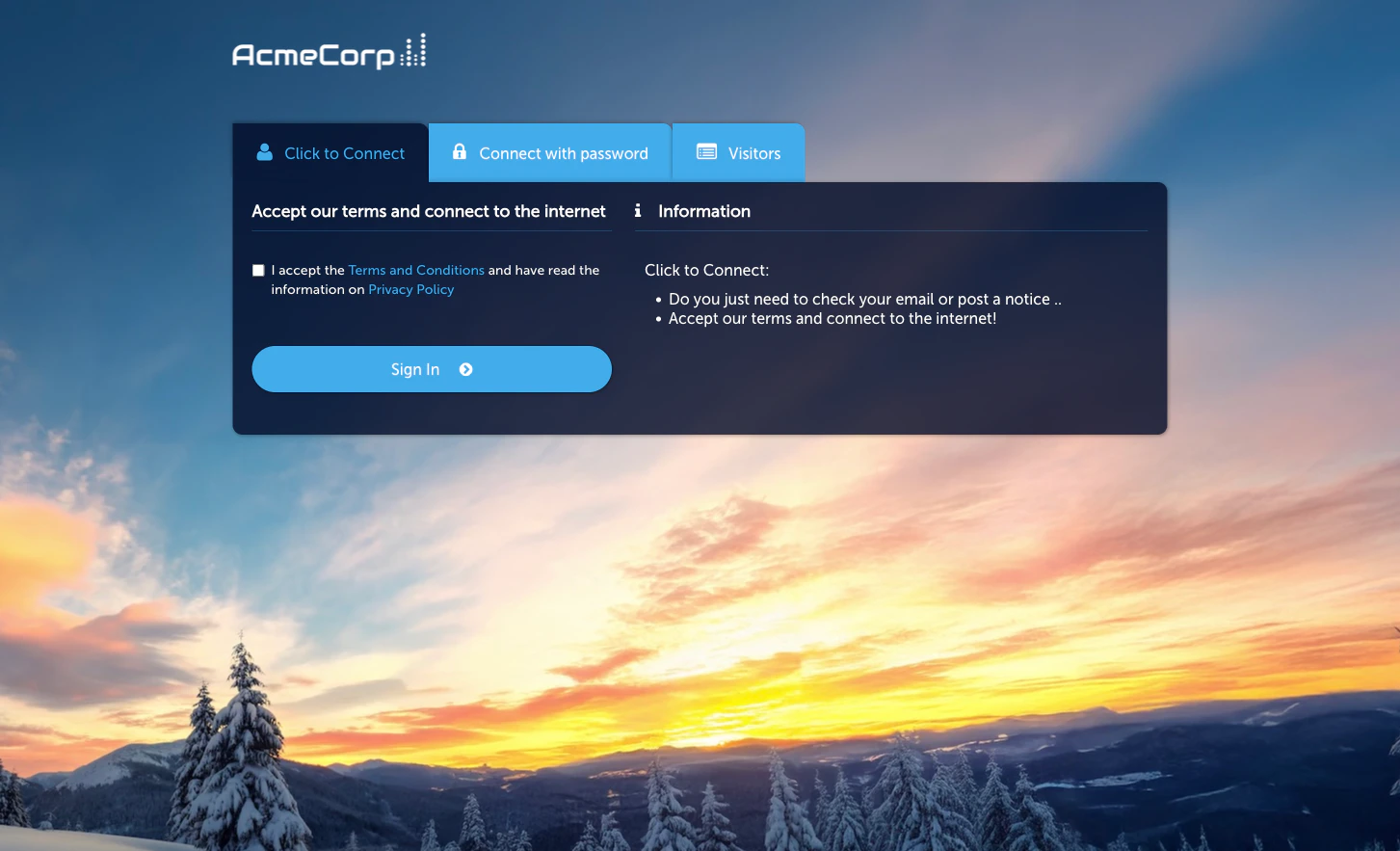
See the Click-to-Connect option
Among the active sign-in methods, the guest sees a
Click-to-Connect button.
Accept terms and click
The guest acknowledges the Terms and Conditions and Privacy
Policy, then clicks.
Activate the module
Click-to-Connect is the product-facing name for the Quick Access module in the admin — the same module powers both surfaces.Configuration
The module Configuration tab has three sub-tabs (the same as the Quick Access page):- Session Length & Redirect — session duration and post-sign-in redirect URL.
- WiFi4EU (legacy) — legacy WiFi4EU programme support; leave off unless you specifically need it.
- Language Settings — per-language overrides for the Captive Portal strings.
When to use Click-to-Connect
- You want the lowest-friction flow. No form, no verification, no approval.
- You don’t need to identify individual guests. If you do, use Self-Provisioning by Email or SMS.
- Your redirect can work as a brand or marketing surface. The post-connect redirect is a prime piece of attention — a well-chosen page can drive engagement immediately after sign-in.
Related
Event Access
Pass-through sign-in without even a portal click.
Self-Provisioning by Email
Low-friction flow that still identifies the guest.