

Two layers, two kinds of work
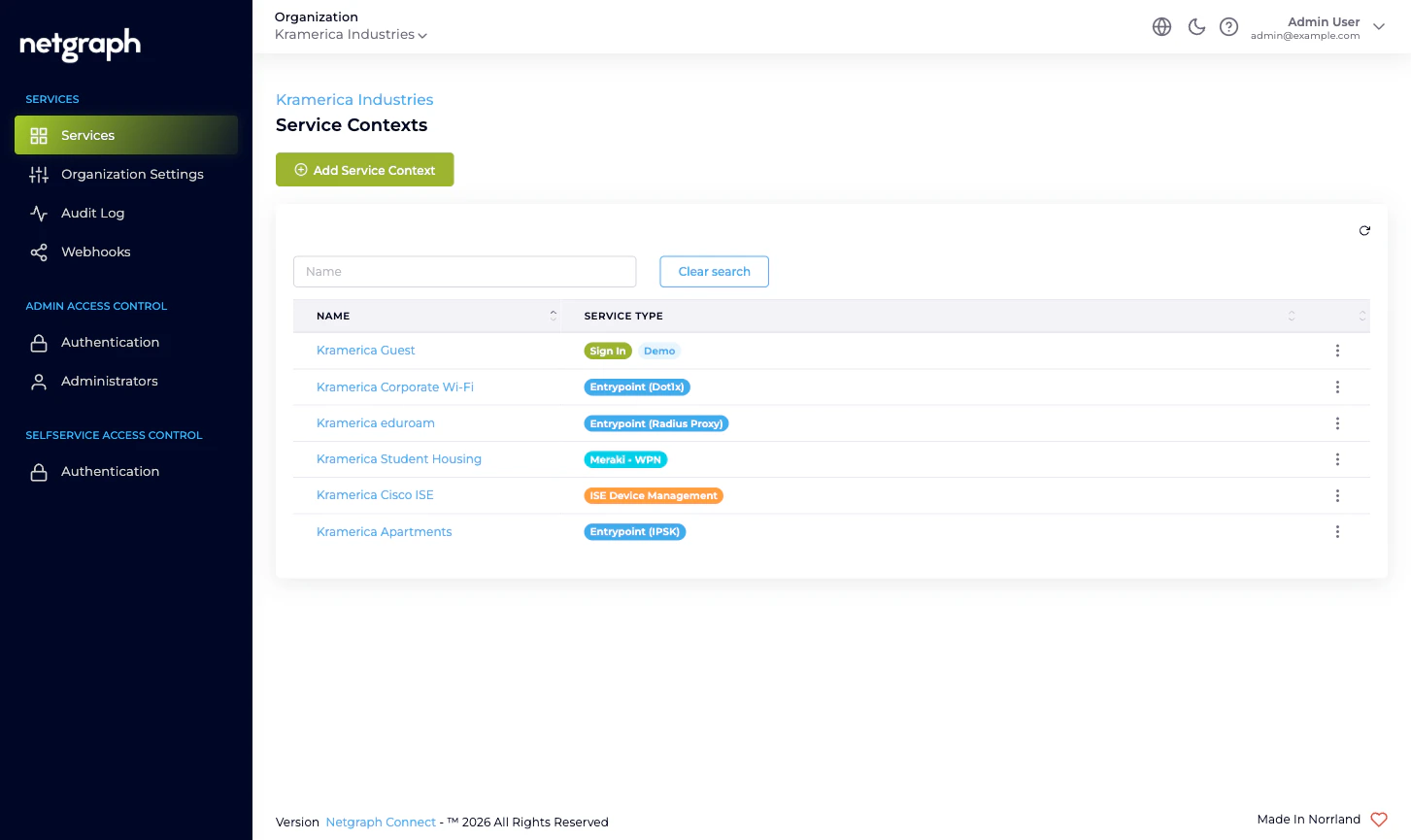
A Service is consumed as one or more Contexts
A Service is the kind of thing you can run; a Service Context is one running instance of it. The pattern is “as many Contexts of each Service as you need,” with no platform limit on how many of each you can have:- A property manager running guest Wi-Fi at three buildings might run one Sign In Context per building, each with its own Sign-In Modules, branding, and Sites.
- The same property manager handing out per-apartment private networks runs one EasyPSK Context per multi-tenant property, each pointed at one Meraki SSID.
- A retailer with one corporate RADIUS service runs one EntryPoint Context for the whole estate.
- A network team supporting many Cisco ISE deployments runs one Endpoint Manager Context per ISE deployment they want to delegate.
| Service | Context type label in admin |
|---|---|
| Sign In | Sign In |
| EntryPoint | EntryPoint - RADIUSaaS (with sub-types per variant) |
| EasyPSK for Cisco Networks | Meraki - Wireless Private Network |
| Endpoint Manager for Cisco ISE | ISE Device Management |
Where each kind of administrative work lives
A few rules of thumb to keep the layers straight:- Inviting a colleague who’ll be a platform-wide administrator on your Organization → Organization scope. See Managing Administrators.
- Inviting a delegated administrator who only needs to run one Sign-In venue, one EasyPSK property, one ISE group → that’s a Self-Service User on the relevant Service Context. See the Service’s own Managing Self-Service Users page.
- Federating Admin Portal sign-in with your IdP → Organization scope. See Admin Portal authentication.
- Federating the Self-Service Portal that residents, conference hosts, and group administrators use → Organization scope (one configuration shared by every Service’s Self-Service Portal). See Self-Service Portal authentication.
- Reading the audit log of administrative changes across everything in the Organization → Organization scope. See Audit Log.
- Subscribing to a webhook for Organization configuration changes → Organization scope, one event type. See Webhooks. For the per-Service event streams (sessions, DHCP, Service configuration audits), each Service Context has its own webhook configuration.
- Configuring a Sign-In Module / EntryPoint variant / Wireless Personal Network / managed Endpoint Identity Group → inside the Service Context. The Organization docs only say the Service Context exists; the Service’s own docs say what to do inside it.
What a Service Context does NOT inherit
A Service Context inside your Organization inherits very little from the Organization itself. In particular:- No automatic admin propagation. An Organization administrator has access to every Service Context in the Organization, but a Self-Service User invited to one Service Context isn’t a Self-Service User on any other Context. Self-Service Users are always Context-scoped.
- No automatic branding cascade. Each Sign-In Context configures its own branding, languages, and Sites. The Organization’s Language Settings affect the Admin Portal and define which languages an admin can choose for content; they don’t overwrite what’s already configured inside an existing Sign-In Context.
- No shared per-Service settings. Two Sign-In Contexts side by side can run completely different Sign-In Modules with completely different Access Policies. There is no Organization-level “default Sign-In Module list.”
Where to go next
Quickstart
Day-one path through Organization Settings, your first
administrator, federation, and adding the first Service
Context.
Admin Portal vs Self-Service Portal
Two surfaces, two authentication configurations, two different
audiences.
Administrator roles
The three Organization-scope roles and what each can change.
Sign In overview
Cloud guest Wi-Fi with self-service captive portals.
EntryPoint overview
RADIUS-as-a-Service for 802.1X, MAB, iPSK.
EasyPSK overview
Personal Wi-Fi networks on Cisco Meraki.
Endpoint Manager overview
Delegated administration on top of Cisco ISE.