

When to use CoA
Typical moments to trigger CoA:- After a group move. You moved an endpoint from one managed group to another and the authorization profile depends on the group.
- After an attribute change. You updated
vendor-owner,vlan-id,security-group-tag, or any other Managed Attribute your policy consumes, and want the change to take effect on the endpoint’s current session instead of at its next re-auth. - During incident response. You want to kick an endpoint off the network right now — for example, after revoking its access in a group. CoA re-runs the policy, which will deny the authorization if the endpoint’s new state no longer matches.
Triggering CoA
From the group’s ISE Endpoints tab:Find the online endpoint
Only online endpoints — those with a live Cisco ISE session
— are eligible for CoA. The endpoint’s Status icon
shows online state; offline endpoints don’t have a session
to re-authenticate.
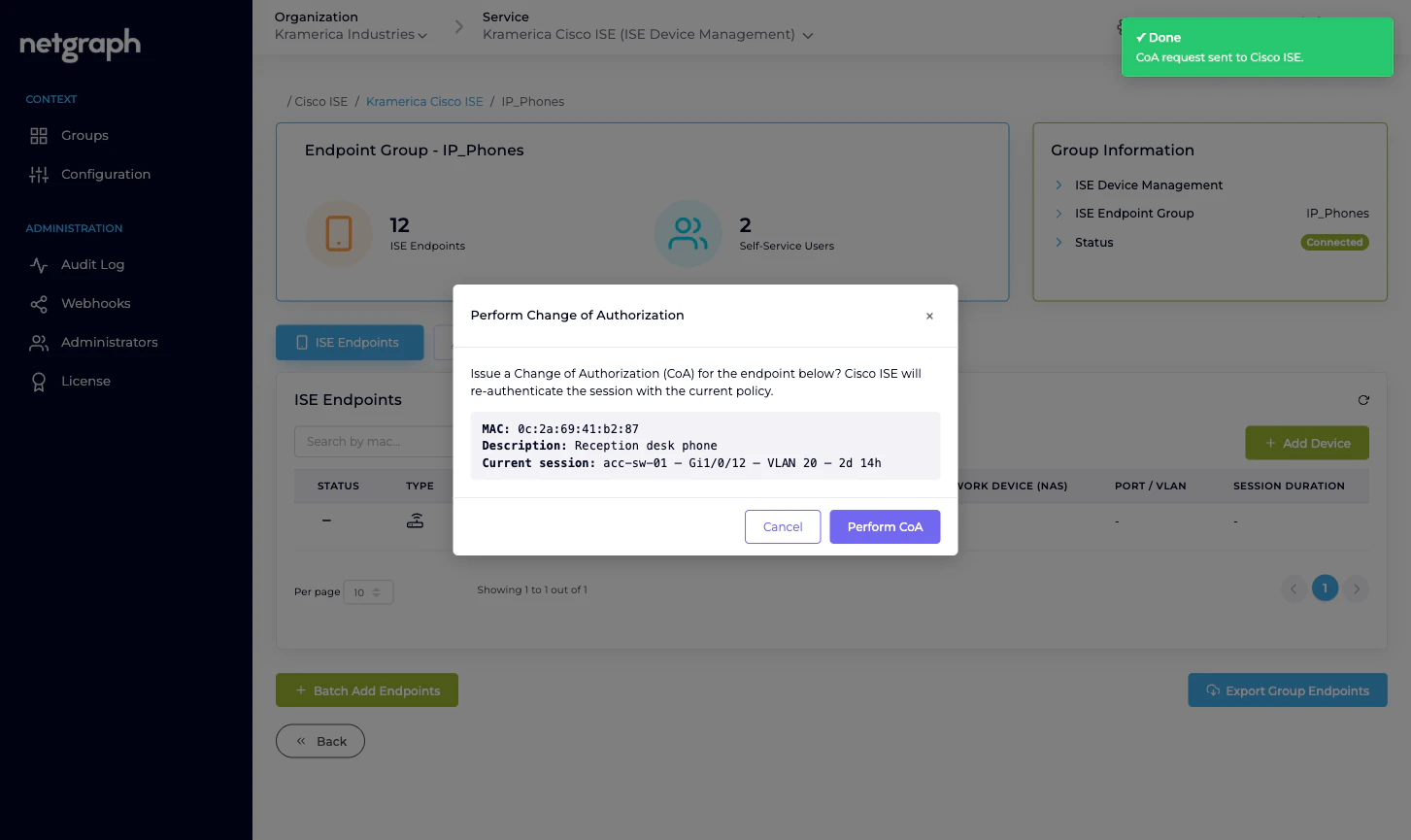
Click Perform CoA
The item only appears when the endpoint is online. If the
endpoint’s session has dropped since the list loaded, the
item is hidden.
What success means
A success toast confirms that ISE accepted the CoA request and forwarded it to the NAS. It doesn’t guarantee the endpoint stayed online or got the new authorization:- If the NAS is reachable and accepts CoA, the endpoint re-authenticates and picks up the new policy decision.
- If the NAS is unreachable, rejects CoA, or drops the endpoint during re-auth, the endpoint’s session is ended. Whether it reconnects depends on the endpoint and the NAS’s rules.
Failure paths
A few things can block CoA:- The endpoint is offline. No active session means the Monitoring API has nothing to re-authenticate. Wait for the endpoint to come back online, then retry.
- The MAC has no recent session data. Sometimes ISE caches sessions briefly; an endpoint that just dropped may look online in the list but not have the session data required to issue CoA. ISE responds with a specific error which the platform surfaces as an error toast.
- The NAS isn’t reachable or doesn’t accept CoA from this ISE. Cisco ISE responds with a failure; the platform shows an error toast and the session stays unchanged.
- The Monitoring API isn’t enabled on your ISE. If the Cisco ISE API Status table shows Monitoring API Down, CoA won’t work at all — it depends on that API family. See Cisco ISE connection.
Self-Service users cannot issue CoA
Perform CoA is an admin-side action only. Delegated administrators in the Self-Service portal cannot trigger CoA on their endpoints — they can Modify (which updates attributes) and Revoke (which removes the endpoint from the group), but enforcing the change on live sessions stays with the Organization admin.Audits
Every CoA trigger is recorded in the Context’s Audit Log: who issued it, against which endpoint, with which result. It also publishes as part of theise.configuration.audit webhook
stream if you have a webhook subscribed. See
Audit Log and
Webhooks.
Related
Managing endpoints
Where the Perform CoA action lives.
Managed Attributes
Typical trigger for a CoA — an attribute that drives policy.
Cisco ISE connection
Monitoring API enablement on Cisco ISE.
Audit Log
Every CoA trigger, recorded.