

ise.configuration.audit— scopeORGANIZATION_CTX_CISCO_ISE.
ise.configuration.audit webhook delivery.
What the payload looks like
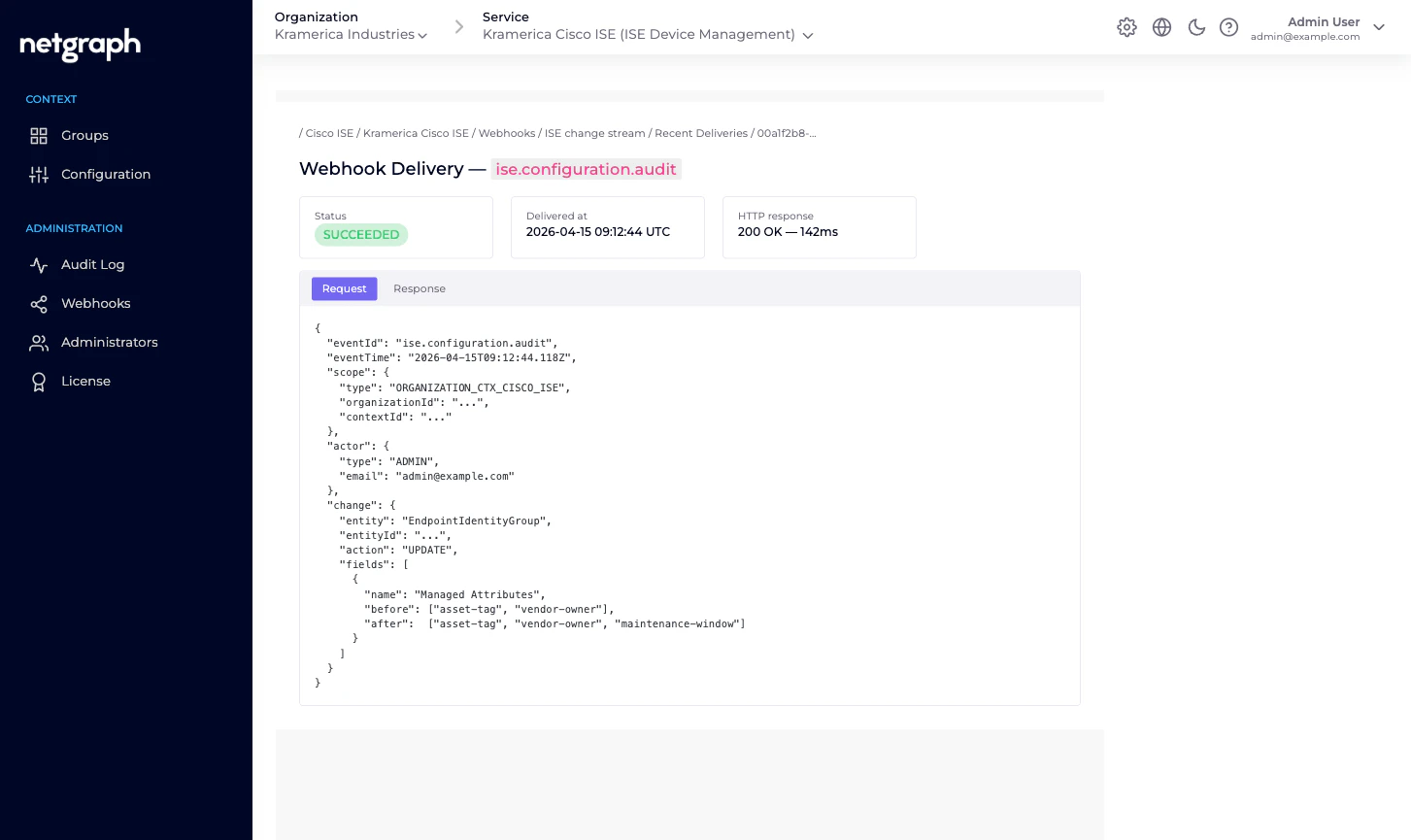
Webhook payloads follow the common Organization-level webhook shape — see Organization Webhooks for the full envelope and batching rules. Below is the event-body shape specific toise.configuration.audit:
change block describes the diff — which entity changed,
what field(s), and (for updates) the before / after values.
Secret fields like the ISE API password are redacted; the
change object still fires to tell you the password was rotated,
but the before and after values read ***.
Subscribing
Webhooks are configured at the Organization level, scoped per Context. To receive Endpoint Manager events:Open the Context's Webhooks tab
Left navigation under Administration → Webhooks on any
Endpoint Manager Context.
Add a webhook
Click Add Webhook. Enter a URL, choose a delivery mode
(batch vs single), and pick the event scope.
What isn’t in the webhook stream
A few categories of change don’t fireise.configuration.audit
events today:
- Endpoint lifecycle on Cisco ISE itself. The event fires when you add / update / remove an endpoint via Endpoint Manager — not when ISE changes an endpoint on its own (for example, when a profiler rule re-categorises it). For ISE-side changes you still want ISE’s own audit stream.
- Session events. Endpoints authenticating / dropping / rejecting are on Cisco ISE’s Monitoring API, not on Endpoint Manager’s webhook bus. If you need session events in your SIEM, point the SIEM at ISE.
Typical consumer shapes
- SIEM intake. Forward every
ise.configuration.auditto your SIEM for compliance-grade change tracking. The payload includes actor, entity, and before / after values — enough for most audit queries. - Slack alerts. Fire into a
#network-opschannel on every group connect / disconnect, so the network team sees when a new fleet comes under managed administration or leaves. - Change-management tickets. Auto-open a ticket whenever API credentials are rotated or a group is removed — two events that are rare enough to warrant scrutiny.
Related
Organization Webhooks
Envelope shape, batching, retries, signatures.
Audit Log
The admin-dashboard view of the same events.
Endpoint Manager Context
What counts as a configuration change on Endpoint Manager.
Delegated administration
Why you want a review trail in the first place.