

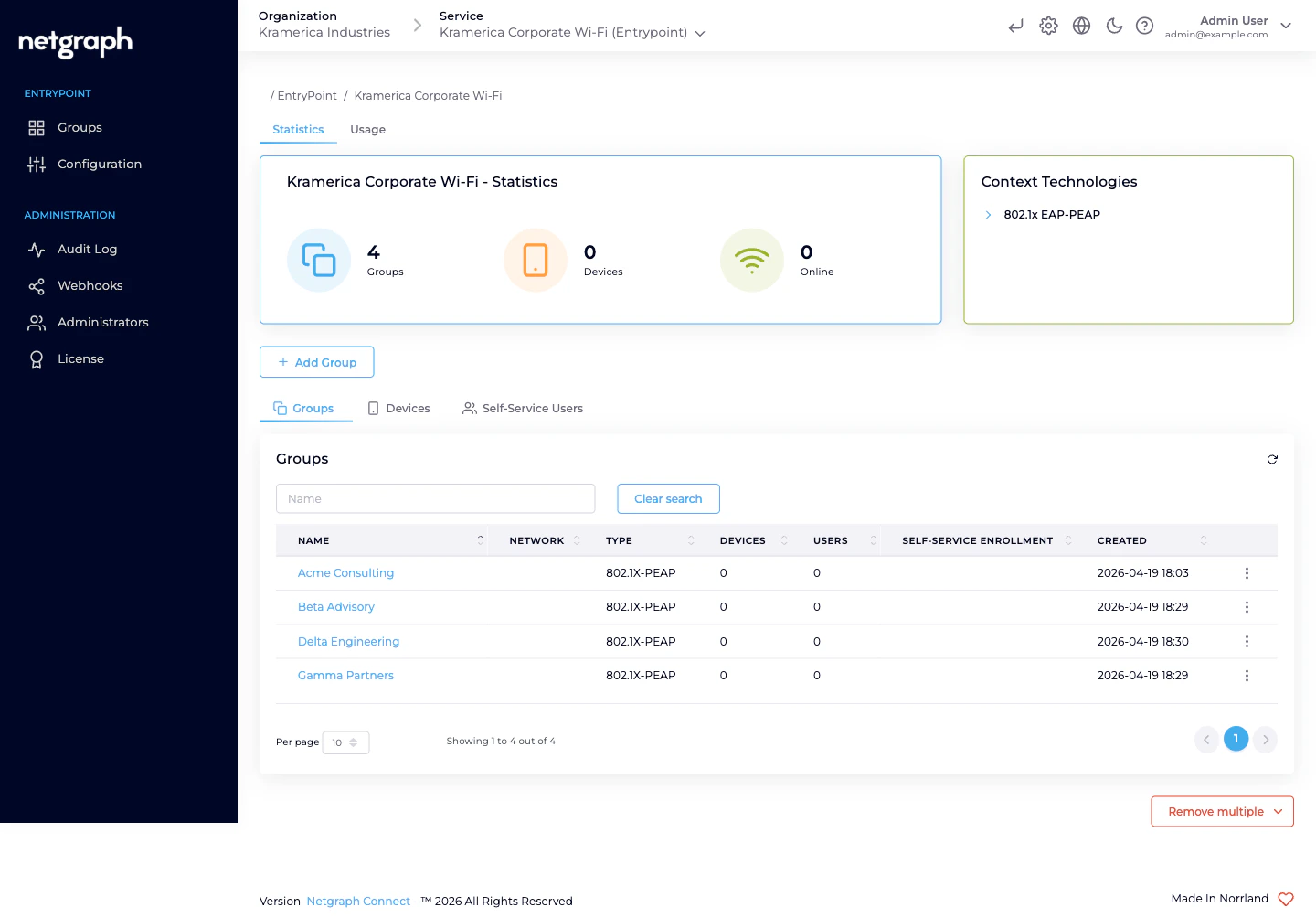
The core idea — one Group per audience, self-administered
EAP-PEAP shines when the people using the Wi-Fi fall naturally into audiences that someone other than central IT can own day-to-day. Instead of a single flat PEAP pool where every user is onboarded by a help desk, each audience becomes its own Group with its own lead administrator. The lead invites their own people via the Self-Service portal; users self-rotate their Personal PEAP Account password; IT stays out of per-user churn. Typical audiences worth their own Group:- Employees on corporate Wi-Fi — straightforward PEAP backed by Microsoft Entra ID. Staff already have Entra credentials; you don’t want to issue a second identity for Wi-Fi. See Entra connection.
- Consulting firms and contractor teams — each firm gets its own Group; the firm’s lead invites their consultants. Because contractors aren’t in your Entra tenant, local Personal PEAP Accounts are usually the right Identity Store for these Groups.
- Vendor field engineers and service technicians — HVAC, AV, security, cleaning, IT, telephony. Per-vendor Group, per-vendor lead, per-vendor VLAN if you like.
- Flex-workforce and staff-augmentation pools — per-pool Group managed by the internal team that runs the programme (warehouse flex, seasonal retail, research assistants, interns).
- Subsidiaries and sister companies sharing physical office space — each entity gets its own Group and handles its own HR lifecycle.
- Event hosts and temporary staff — conference volunteers, production crews, film shoots, audits with a known timebox.
- Research cohorts or project teams on university / lab campuses — a Group per project, the PI or lab manager invites.
- BYOD for employees without MDM-issued certificates — when rolling out EAP-TLS hasn’t reached a particular role yet, PEAP bridges the gap without blocking anybody.
- Pilot and staging populations — try a new Access Policy or VLAN assignment on one audience’s Group before rolling wider.
What delegation actually looks like
Once an audience is a Group, the day-to-day shrinks to:- The lead is a Group Administrator. You invite one person per audience as a Group Administrator Self-Service User. They see only their own Group.
- The lead invites their people. From the Self-Service portal, the Group Administrator adds the actual users. Each gets a Personal PEAP Account (or an Entra-backed account) auto-provisioned on first sign-in.
- Users follow per-OS setup guides. Every PEAP user sees Setup Instructions for macOS, Windows, iPhone, Android, and Chromebook — so the user joins Wi-Fi without a support ticket.
- Rotation stays local. When someone moves on, the lead revokes them; their account disappears and their devices drop off at the next re-auth. IT doesn’t have to be in the loop.
Who operates EAP-PEAP
Two Self-Service roles appear under the Organization-admin level, each scoped to one Group.| Role | Scope | Typical actions |
|---|---|---|
| Organization administrator | The Organization and every Context inside it. | Create the EntryPoint Context, enable EAP-PEAP in Client Authentication Methods, pick an Identity Store, attach network equipment, create one Group per audience, invite each audience’s lead as a Self-Service User with the Group Administrator role, review audits. |
| Group Administrator (Self-Service) | One Group, in one Context. | Invite and revoke members. View the Group’s Connected Devices. Every user in the Group also self-serves their Personal PEAP Account. |
| User (default) (Self-Service) | Their own Personal PEAP Account within one Group. | See the username, see the password, copy or rotate it. See their own Connected Devices and the per-OS setup guides. |
Combining EAP-PEAP with other methods
A Dot1x Context can enable EAP-PEAP and EAP-TLS simultaneously — the two master switches on Client Authentication Methods are independent. You pick the method per-Group, not per-Context. A typical combined deployment:- EAP-PEAP Groups for people whose identities aren’t cert-backed — contractors, flex-workforce, event staff, BYOD.
- EAP-TLS with User Certificate Groups for employees on MDM-enrolled laptops where a user certificate is available.
- EAP-TLS with Device Certificate Groups for unattended equipment (kiosks, factory workstations). MAB inside these — or inside any other Dot1x Group — catches the headless gear (printers, VoIP phones, sensors) that shares the same switchport or SSID.
What EAP-PEAP is NOT
- Not a RADIUS appliance. EntryPoint provides the RADIUS service; you point your WLAN controllers and switches at the Context’s RADIUS endpoint and they authenticate against it. You don’t run RADIUS servers.
- Not a certificate authority. If certificate-based auth fits better (stronger posture, no password-typing on the supplicant), see the EAP-TLS with Microsoft Entra ID variant. EntryPoint validates client certificates; it doesn’t issue them.
- Not a guest-Wi-Fi captive portal. For short-stay visitors who self-provision by email or SMS on a captive portal, look at Sign In instead. PEAP assumes an 802.1X supplicant and a long-term account.
- Not for headless devices. Printers, IP phones, smart locks and sensors without a PEAP supplicant belong on MAB (inside any Dot1x Group) or on the iPSK variant for Cisco deployments.
Prerequisites
- An EntryPoint Context of type EntryPoint 2.0 (Dot1x PEAP, Entra) — see Creating a Context.
- EAP-PEAP toggled on in Configuration → Basic Configuration → Client Authentication Methods.
- A Backend Identity Store picked: either No Backend Identity Store (EntryPoint stores PEAP accounts locally — the usual choice for audiences outside your Entra tenant) or Microsoft Entra ID — see Entra connection.
- At least one WLAN controller, switch, or Meraki network pointed at the Context’s RADIUS hostname with the per-Context shared secret.
Where to go next
Groups per audience
One 802.1X-PEAP Group per audience, with Attribute Profiles for VLAN / SGT.
Self-Service & Personal PEAP Accounts
How members see their credentials, rotate passwords, and follow per-OS setup guides.
Combining with EAP-TLS & MAB
Run PEAP, EAP-TLS, and MAB side-by-side on one Context.
Entra connection
Delegate PEAP credential validation to Microsoft Entra ID.