

Open the wizard
From the Organization’s Services overview, click Add Service Context, then pick the EntryPoint - RADIUSaaS card.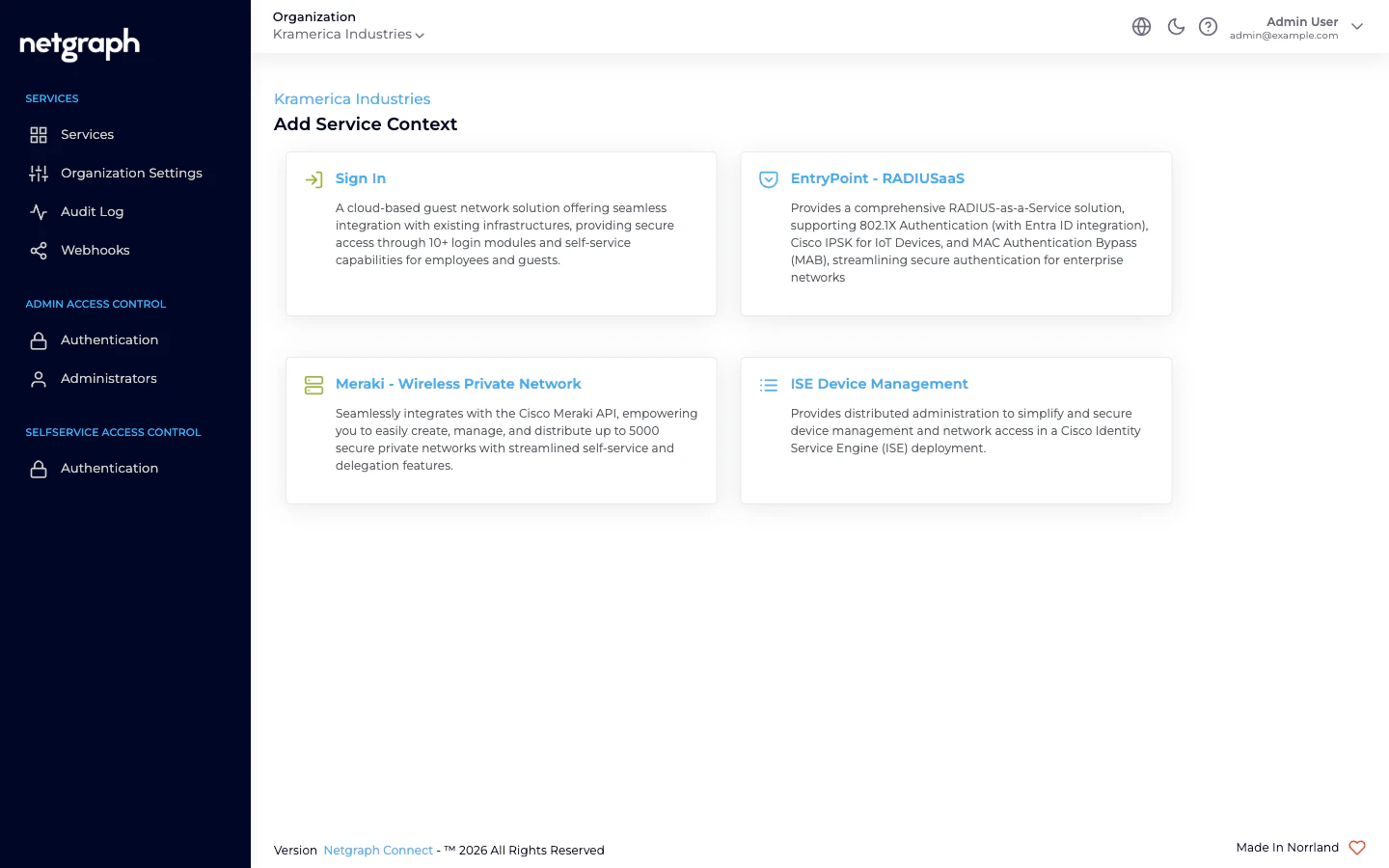
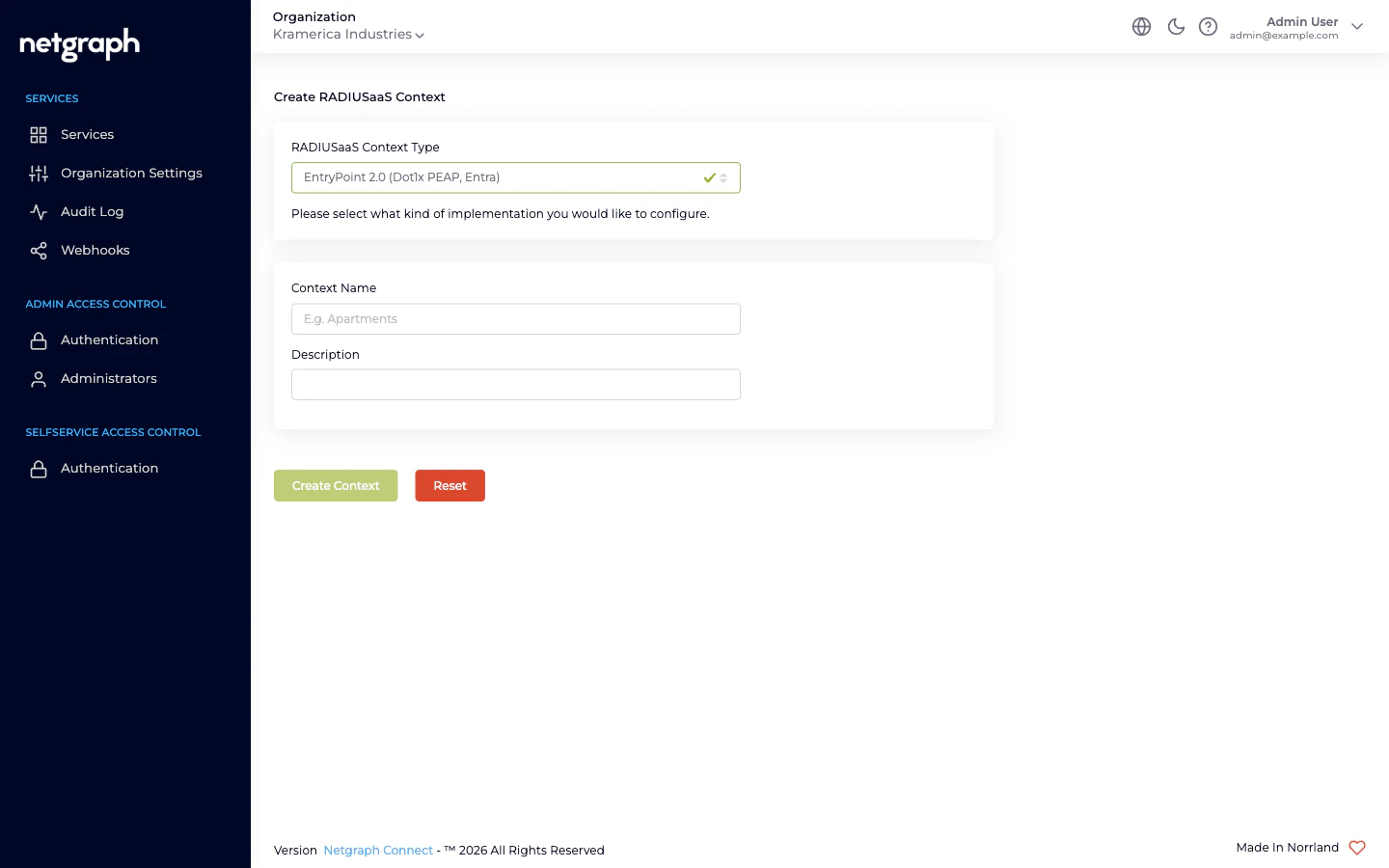
- RADIUSaaS Context Type — dropdown choosing the variant.
- Context Name — free text (3–80 chars, alphanumeric-ish). Shows up in breadcrumbs and the Services list.
- Description — free text (3–200 chars).
Pick a variant
The dropdown offers three options (verbatim):EntryPoint 2.0 (Dot1x PEAP, Entra)— default. Hosts both EAP-PEAP and EAP-TLS with Microsoft Entra ID Groups — the two method families live side-by-side on one Context.EntryPoint 2.0 (Radius Proxy / eduroam)— the Radius Proxy variant.EntryPoint 1.0 (IPSK)— the iPSK variant.
Fill in Name and Description
Pick something descriptive. Names show up in breadcrumbs, the Service selector, and the Services list. Good names read as a noun: Corporate Wi-Fi, Campus eduroam, Building IoT.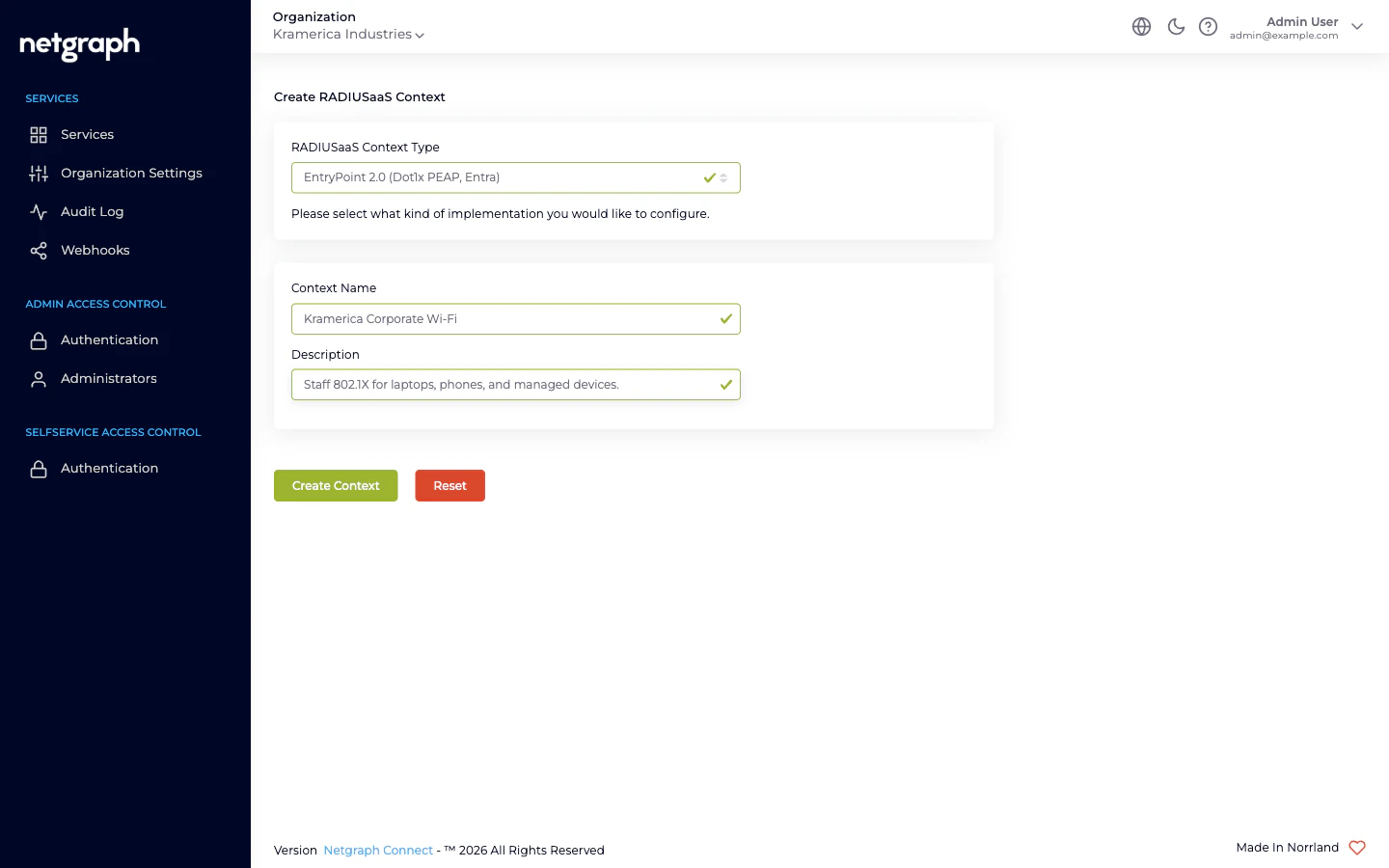
Where you land
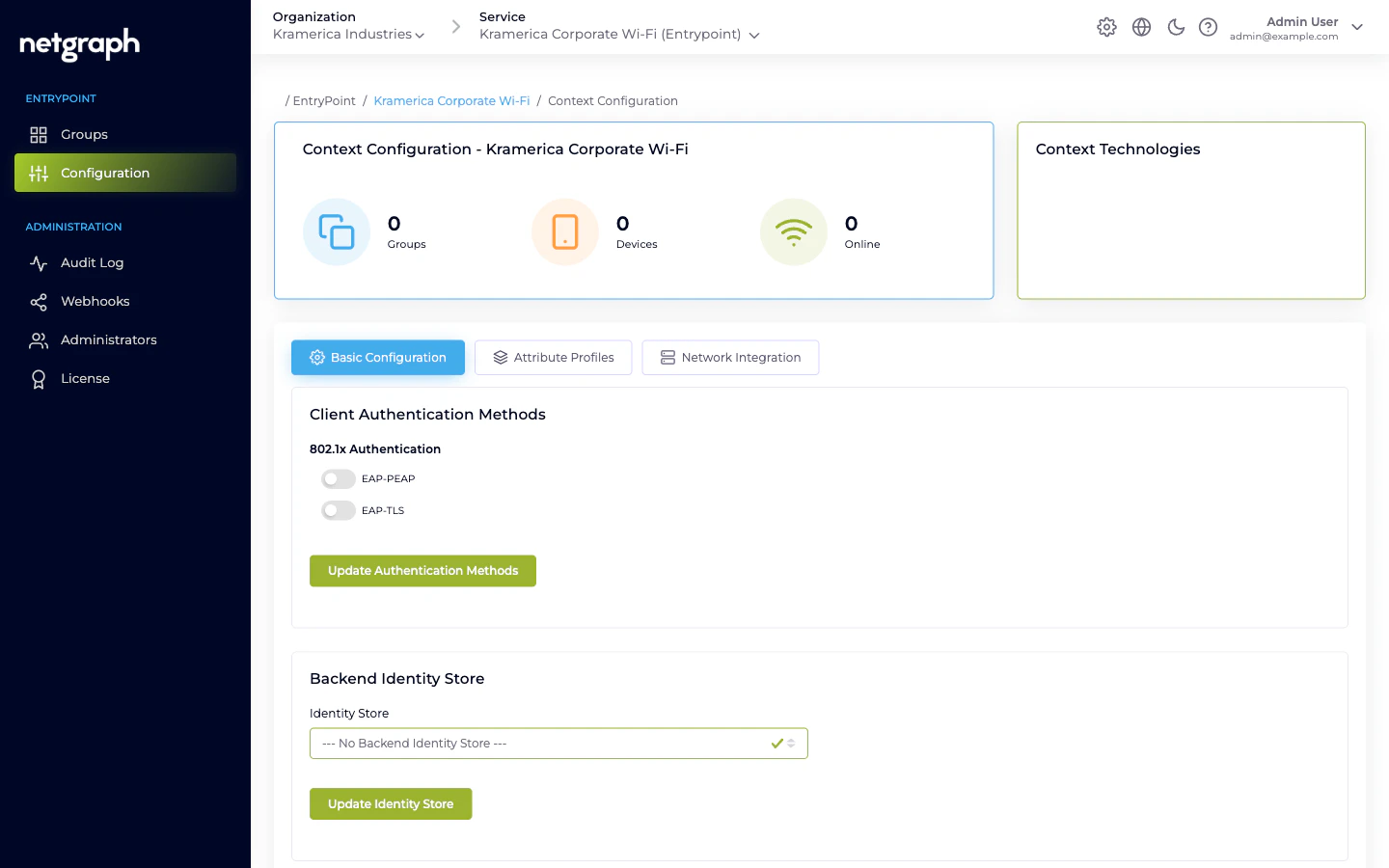
The post-create destination differs per wizard variant:- Dot1x (PEAP, Entra) — lands on the Context’s Configuration → Basic Configuration tab. The Client Authentication Methods card has independent toggles for EAP-PEAP and EAP-TLS, and the Backend Identity Store card lets you wire to Microsoft Entra ID. Whether you end up on the EAP-PEAP or EAP-TLS with Entra path — or both — is decided by which toggles you enable and which Group types you create.
- Radius Proxy — same Configuration page, but the Basic tab shows a Radius Proxy Default Attribute Group card and a link to the auto-created Default Device Group (you won’t create additional Groups here). See Radius Proxy overview.
- iPSK — lands on the iPSK variant’s Configuration page. Basic Configuration includes CoA listeners, Security Group Tag, default member roles, default attribute profiles, and a Self-Service card. See iPSK overview.
What’s next
- EAP-PEAP → on a Dot1x Context: enable EAP-PEAP, pick Identity Store, attach network equipment, create Groups per firm, invite the firm leads. The Quickstart walks a first-time PEAP setup end-to-end.
- EAP-TLS with Entra → on a Dot1x Context: enable EAP-TLS, configure the Entra connection, upload Trusted CAs, create one EntryPoint Group per Entra group you want to authorize.
- Radius Proxy → open the Remote Radius Server tab and enter the upstream RADIUS endpoint; enable RadSec if the upstream requires it.
- iPSK → configure Network Integration, create Groups per device class, import devices (single or CSV batch), invite the delegated PSK Administrators.
Related
Comparing variants
Side-by-side comparison of the four options.
RADIUS clients
Hook network equipment into the new Context.