

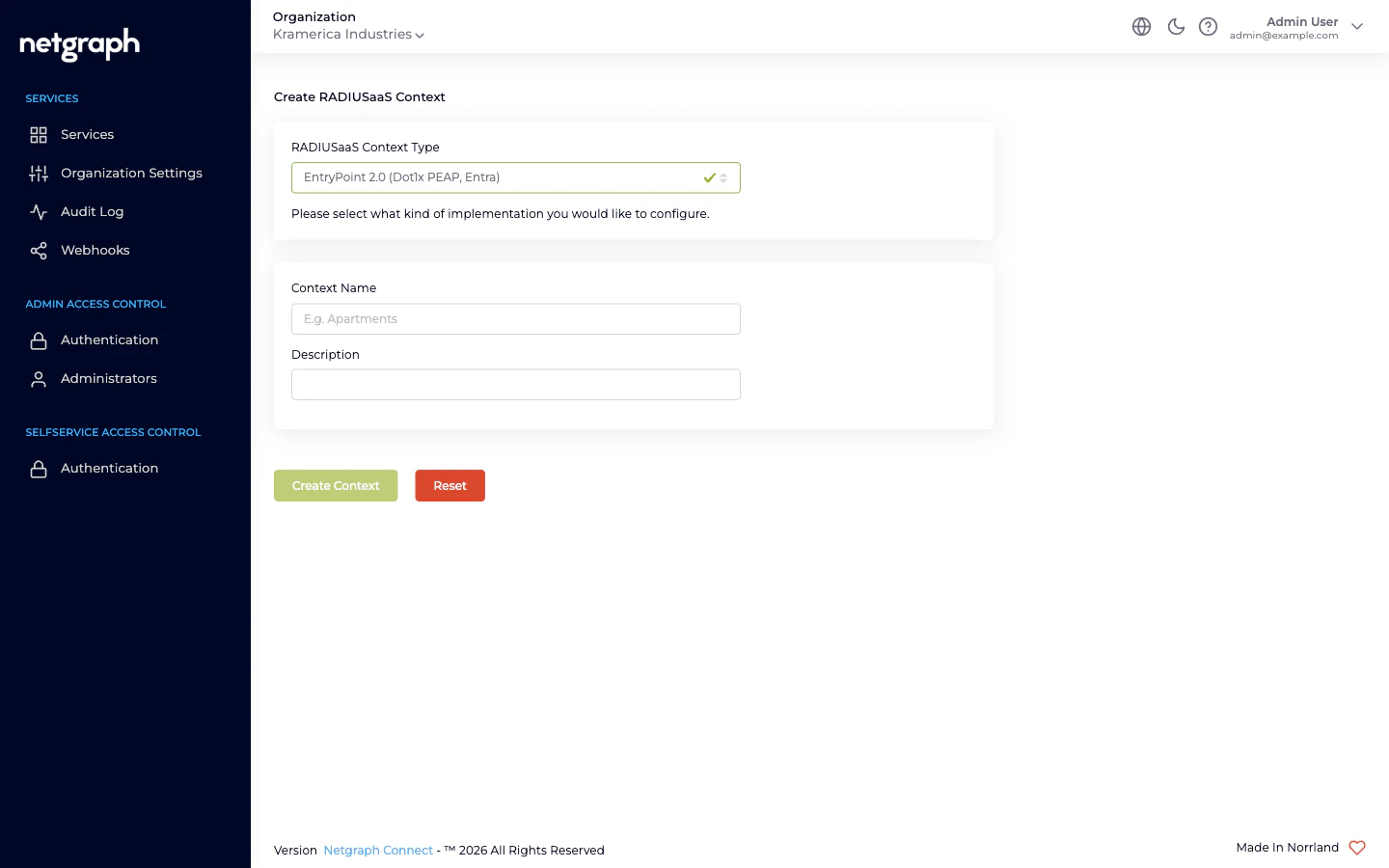
EntryPoint 2.0 (Dot1x PEAP, Entra)— hosts both EAP-PEAP and EAP-TLS Groups. In this documentation we describe the two method families as separate chapters — see EAP-PEAP and EAP-TLS with Microsoft Entra ID — because they serve different audiences.EntryPoint 2.0 (Radius Proxy / eduroam)— see Radius Proxy.EntryPoint 1.0 (IPSK)— see iPSK for Cisco Networks.
Side-by-side feature matrix
| EAP-PEAP | EAP-TLS + Entra | iPSK for Cisco | Radius Proxy | |
|---|---|---|---|---|
| Wizard variant | Dot1x PEAP, Entra | Dot1x PEAP, Entra | IPSK | Radius Proxy / eduroam |
| Primary audience | Any audience with a username+password identity — employees, contractor firms, vendor teams, event cohorts, students | Employees on MDM-enrolled devices | IoT fleets on Cisco Wi-Fi | eduroam visitors; roaming partners |
| Credential | Username + password (auto-generated) | User or device certificate | Per-Group shared PSK | Upstream decides |
| Identity source | Local PEAP store or Microsoft Entra ID | Microsoft Entra ID (operationally required) | Device MAC → Group | Remote RADIUS server |
| Groups per Context | Many (one per audience) | Many (one per Entra group) | Many (one per device class) | Exactly one (Default Device Group) |
| Group-to-Entra-group mapping | Optional (for Entra-backed PEAP) | Required | — | — |
| Self-Service portal | Yes (per-user Personal PEAP Account + per-OS setup guides) | No | Yes (Group admin + PSK admin + device admin) | No |
| MAB fallback | Inside Device-Cert Groups (shared with EAP-TLS) | Inside Device-Cert Groups | — (MAB sent by WLAN becomes iPSK) | — |
| Device Compliance Check (Intune) | ✗ | ✓ | ✗ | ✗ |
| Bulk device import | ✗ | ✗ | ✓ (CSV) | ✗ |
| Typical VLAN strategy | One VLAN per audience (or shared across similar audiences) | One VLAN per role | One VLAN per device class | One VLAN for visitors |
| Typical Group names | Corporate Staff, Acme Consulting, HVAC Contractors, Summer Interns 2026 | Corporate Staff, Finance, Managed Laptops, Reception Kiosks | Robot Cleaners, Digital Signage, Smart Locks, Lab Sensors | Default Device Group |
Picking per audience
- Corporate staff with MDM-enrolled devices → EAP-TLS with Microsoft Entra ID. Cert-based auth, Entra group mapping, Intune posture.
- Anyone on a password identity you want delegated admin for → EAP-PEAP. Employees via Entra group mapping; contractor firms, vendor teams, event cohorts and flex-workforce pools via local Personal PEAP Accounts. One Group per audience, one lead per Group, each audience runs itself.
- Printers, VoIP phones, sensors, other non-802.1X gear behind the same VLAN as managed devices → MAB inside a Device-Cert Group (part of the EAP-TLS variant).
- IoT on Cisco Wi-Fi, owned by different internal / vendor teams → iPSK. One Group per device class, distributed administration via Self-Service.
- Visiting researchers / eduroam federation → Radius Proxy. Forward to the federation; no local identities.
- Short-stay visitors on a captive portal → not EntryPoint. See Sign In.
- Shared-SSID, per-unit key on Meraki (residential, co-living) → not EntryPoint. See EasyPSK for Cisco Networks.
Combining on one Context
A single EntryPoint 2.0 (Dot1x PEAP, Entra) Context can host EAP-PEAP and EAP-TLS Groups together — two independent master toggles on Client Authentication Methods. See Combining with EAP-TLS & MAB and Combining with EAP-PEAP. Variants of different wizard types (Dot1x, iPSK, Radius Proxy) are separate Contexts — one per type. An Organization with all three will have three Contexts in the admin.Configuration surface per variant
Some tabs are shared across every Context; others appear only on specific variants:| Tab | Dot1x (PEAP / EAP-TLS) | iPSK | Radius Proxy |
|---|---|---|---|
| Basic Configuration | ✓ (auth methods, Identity Store) | ✓ (CoA listeners, SGT, default roles) | ✓ (Default Device Group link) |
| Remote Radius Server | — | — | ✓ |
| Default Group | — | — | ✓ (auto-created) |
| Attribute Profiles | ✓ | ✓ | ✓ |
| Network Integration | ✓ | ✓ | ✓ |
| Organization Common Settings | — | ✓ | — |
Related
EntryPoint Context
The cross-cutting Context model.
Creating a Context
The wizard, start to finish.
Attribute Profiles
Reusable RADIUS-response bundles, attached per Group.
RADIUS clients
Hostname, ports, per-Context shared secret, CIDR allow-list.