

Where a Context fits
What lives inside a Context
Every variant exposes the same counter cards on the Configuration page:- Groups — how many Groups have been created.
- Devices — total devices that have authenticated at least once.
- Online — devices currently authenticated.
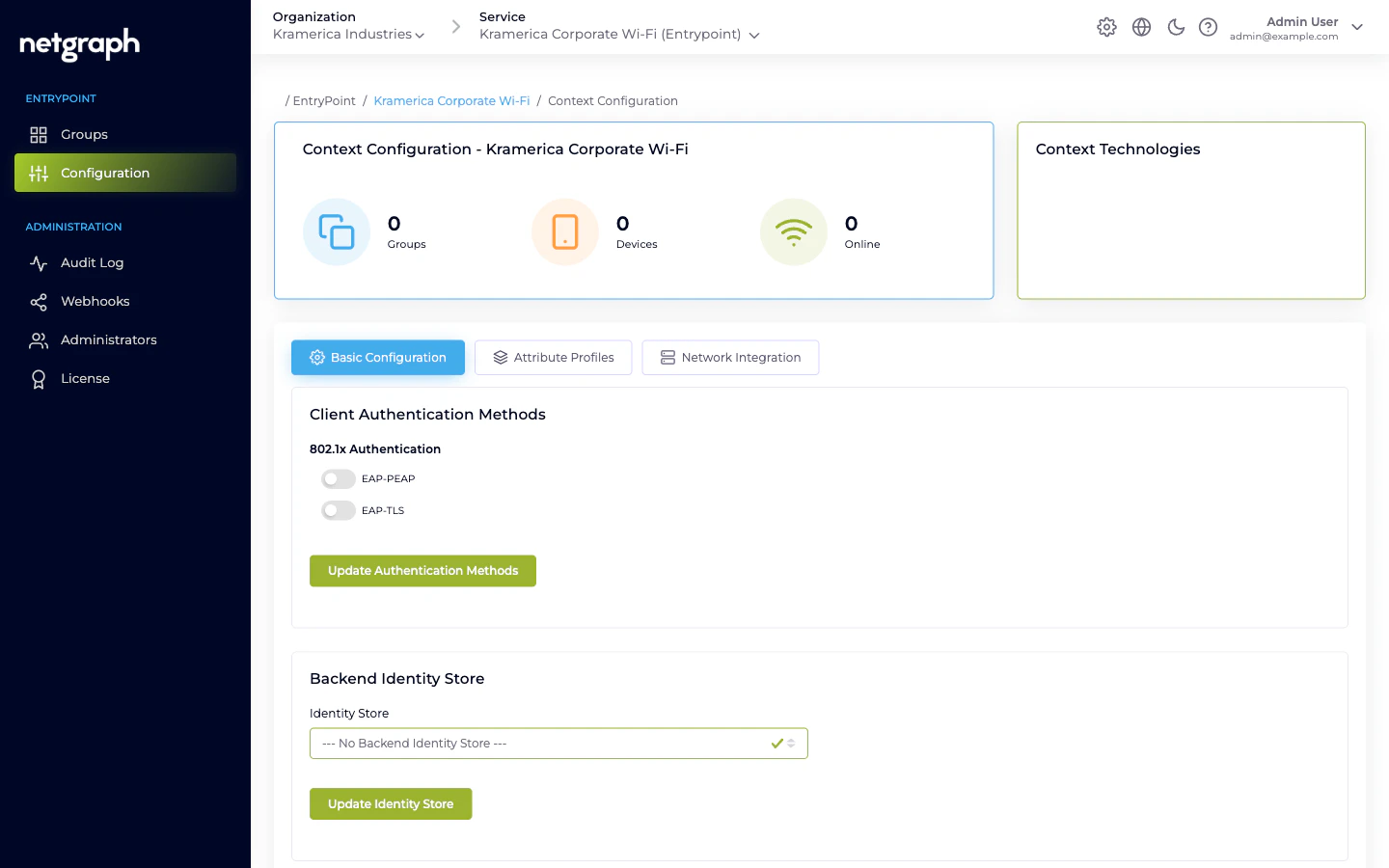
- Basic Configuration — variant-specific (authentication methods and identity store for PN, the Default Device Group link for Radius Proxy, CoA listeners and default roles for iPSK).
- Attribute Profiles — named bundles of RADIUS return attributes. See Attribute Profiles.
- Network Integration — the RADIUS hostname, ports, per-Context shared secret, RadSec toggle, and IP access restrictions. See RADIUS clients.
- Default Group / Remote Radius Server / Organization Common Settings — variant-only tabs for iPSK, Radius Proxy, and iPSK respectively.
The RADIUS endpoint
Each Context has its own RADIUS hostname and a generated per-Context shared secret. Network equipment speaks RADIUS against those two values. The Network Integration tab lists the hostname and the three ports (authentication, accounting, and RadSec).- One shared secret per Context, not per RADIUS client. Every switch / controller / AP that authenticates to this Context uses the same secret.
- IP access restrictions limit which source IP ranges are allowed to send RADIUS to this Context. Enter CIDR ranges on the Network Integration tab; leaving the list empty denies all traffic.
Accounting
EntryPoint ingests RADIUS accounting (Start, Stop, Interim-Update) from the attached equipment. Enable Interim-Update on the client side (recommended interval: 600 seconds) so the Context’s Devices counter and per-Group session views stay fresh. Accounting is not delivered as webhooks today — only configuration audits are. See Webhooks.Multiple Contexts per Organization
Nothing prevents having several EntryPoint Contexts. Typical patterns:- One per variant. A Dot1x Context for staff, a Radius Proxy Context for eduroam visitors, an iPSK Context for building IoT.
- One per venue. If campuses or buildings should not share identities, a Context per venue gives strong isolation and separate audit trails.
Related
Comparing variants
The four variants and when to use each.
Attribute Profiles
VLAN, SGT, tunnel attributes.
RADIUS clients
Shared secret and CIDR allow-list.
Creating a Context
The variant-picker wizard, start to finish.