

Available events
Today EntryPoint exposes one event type via webhooks:entrypoint.configuration.audit— emitted whenever someone changes the configuration of an EntryPoint Context (enabling an auth method, editing an Attribute Profile, adding a Group, rotating a secret, etc.).
Where to set up a subscription
Open the EntryPoint Context and go to Webhooks in the left navigation.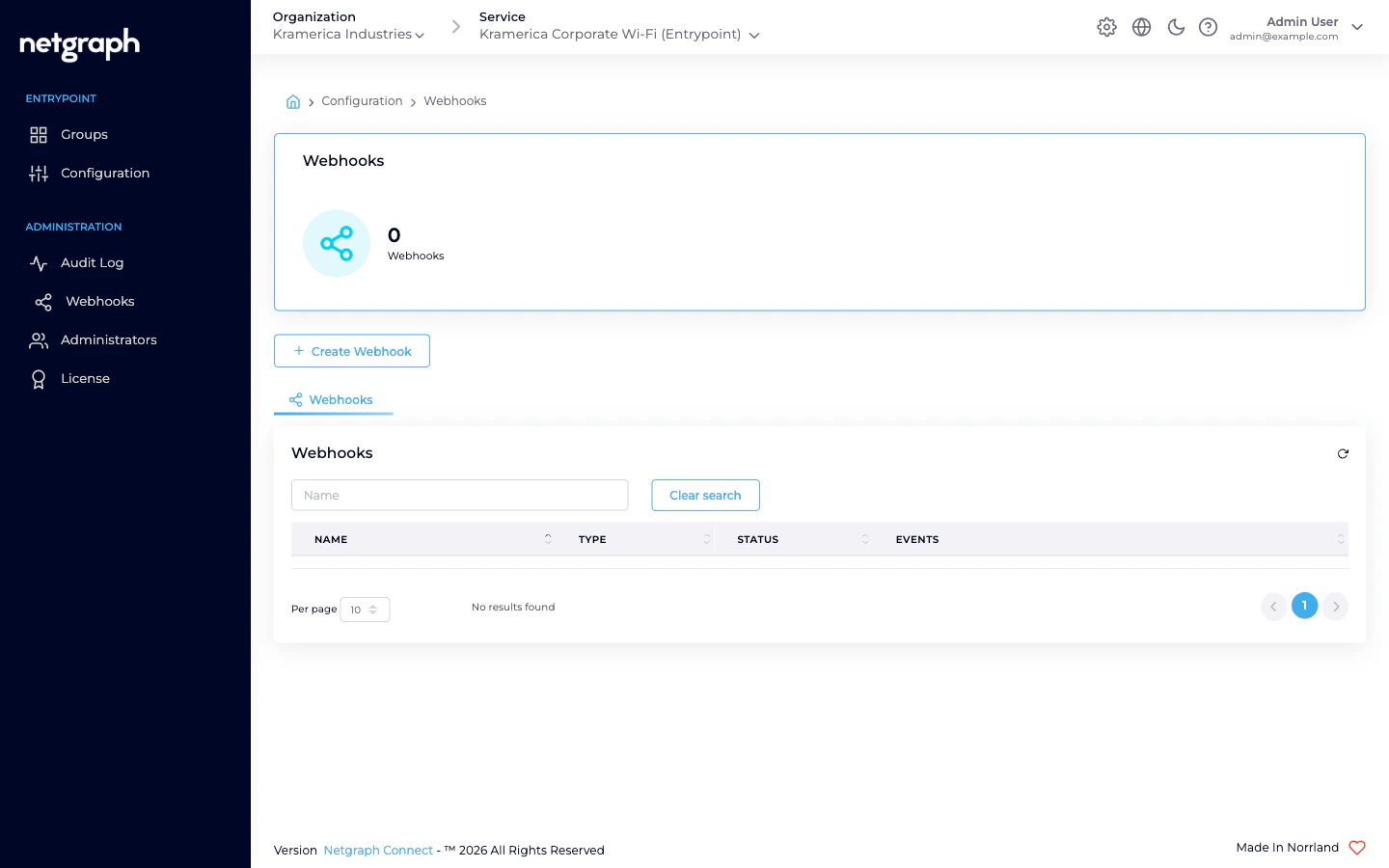
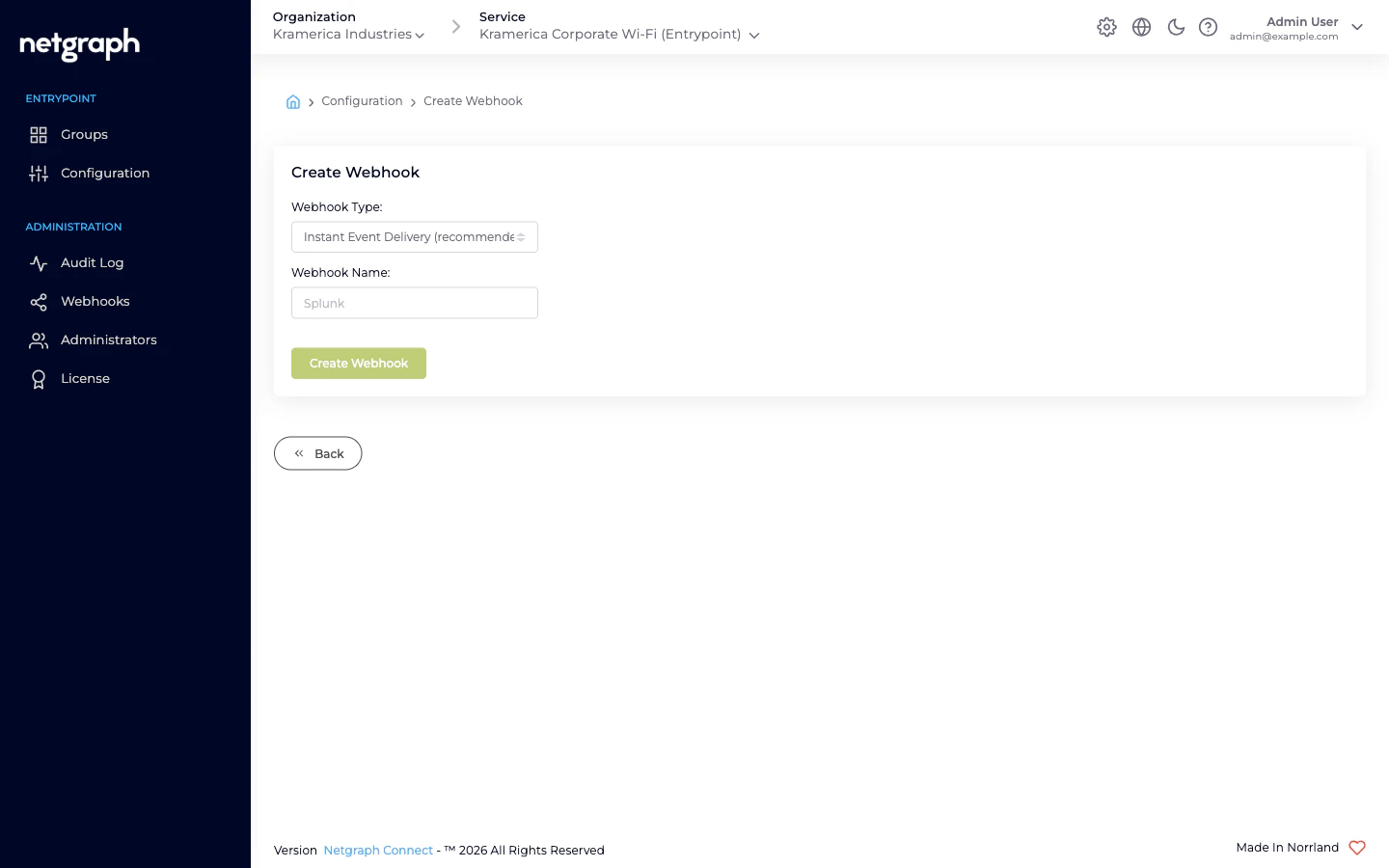
- Instant Event Delivery (recommended) — each event is POST’d to the receiver as it happens.
- Batch Delivery — events are buffered and delivered as a batch.
entrypoint.configuration.audit.
Organization vs Context scope
The same webhook infrastructure is available at Organization scope (under Webhooks in the Organization’s left navigation) and Context scope (here). Pick based on reach:- Context scope — receive events only from this EntryPoint Context. One subscription per Context; clean separation for multi- Context deployments.
- Organization scope — receive events from every Service Context in the Organization, not just EntryPoint. The enabled events list at Organization scope lets you pick which event types from which Service you want.
Payload shape
Aentrypoint.configuration.audit delivery carries:
- The event ID and timestamp.
- The Context ID and name.
- The actor (admin user / system).
- A description of what changed, with before/after values where applicable.
- Any additional metadata the admin UI recorded on the audit entry.
Common use cases
- Change management — stream config audits into your ticketing system or SIEM so every RADIUS policy change is logged alongside other infrastructure changes.
- Out-of-band alerts — notify a Slack channel when a sensitive knob (trusted CA list, IP allow-list, identity store config) changes outside a change window.
Related
Organization webhooks
Subscribe at Organization scope instead of per-Context.
Audit log
Audit events viewable in the admin UI without a webhook.