

Where the pattern helps
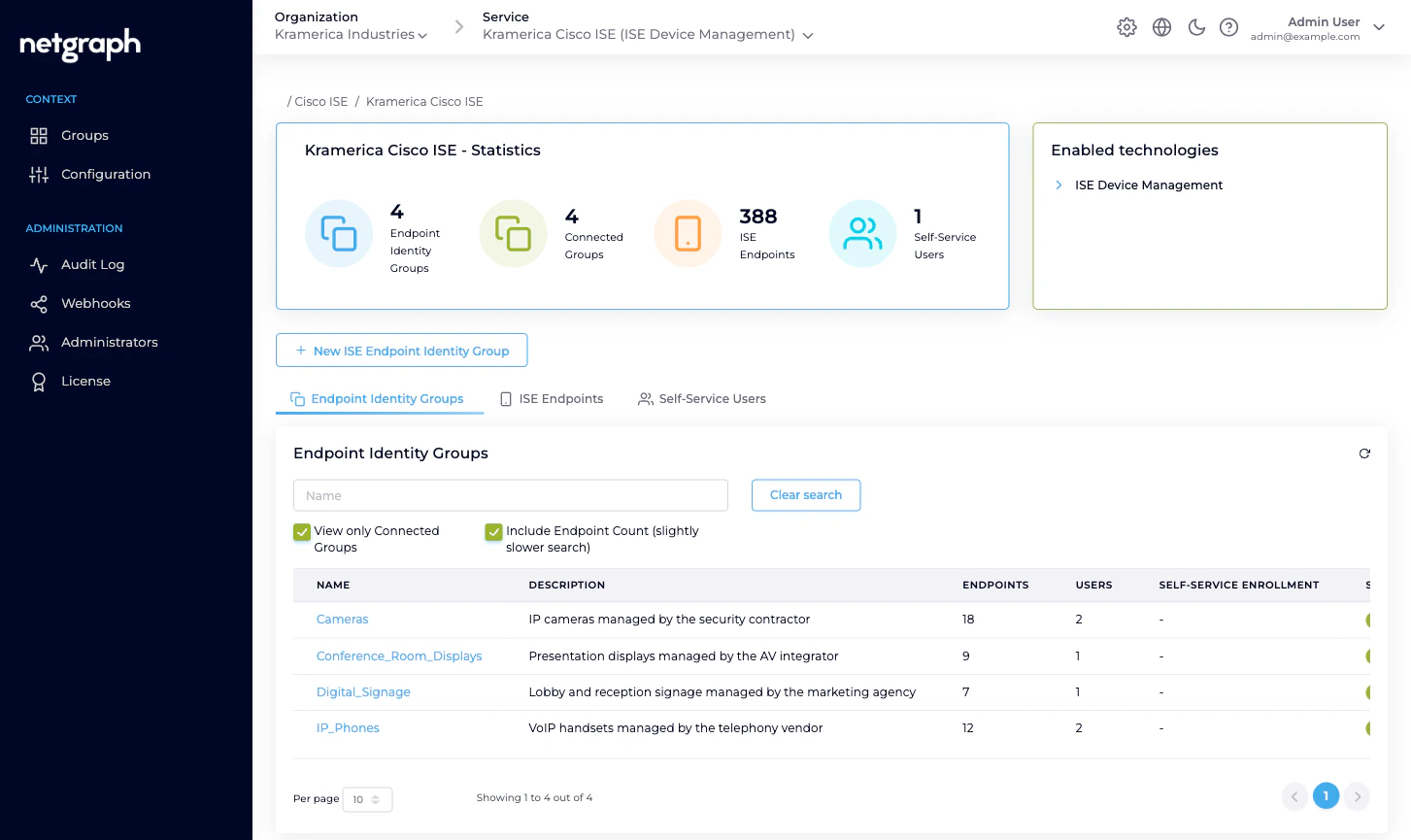
Distributed MAB-list administration is the clearest example:- IP phones authorise on the wire by MAB. The knowledge of which handset serial number goes with which extension lives with the telephony vendor — not the network team.
- IP cameras authorise by MAB. The knowledge of which camera is being installed at which loading dock lives with the security contractor.
- Conference-room displays authorise by MAB. The knowledge of which unit was swapped out of which room lives with the AV integrator.
- Digital signage authorises by MAB. The knowledge of which new kiosk goes into which reception lobby lives with the marketing agency.
- BYOD onboarding in an ISE deployment — each business unit or subsidiary gets its own group and its own enrolling admin.
- IoT inventories — each vendor of sensors / badges / printers / access-control panels owns their own group.
- Shared labs and test benches — each lab team owns a group and lists their own equipment.
Who does what
Three roles appear in an Endpoint Manager deployment. Each holds the scope they need and no more.| Role | Scope | Typical actions |
|---|---|---|
| Organization administrator | The Organization and every Context inside it. | Connect the Context to Cisco ISE, define Managed Attributes, bring Endpoint Identity Groups under managed administration, review audits, handle Group-Administrator handovers. |
| Group Administrator | One Endpoint Identity Group, in one Context. | View, add, update, remove endpoints. Invite, modify, remove Self-Service Users on the same group. Runs the group’s day-to-day. |
| User (default) | One Endpoint Identity Group, in one Context. | View, add, update, remove endpoints. Can’t touch Self-Service Users. |
IP_Phones and User
(default) on Digital_Signage without any conflict.
The trust boundary
Delegated administration deliberately ends at two lines the Self-Service portal won’t cross:- No ISE access. A Group Administrator never sees the Cisco ISE admin UI, can’t change authorization policies, can’t touch identity sources, can’t override authentication rules. They can only manipulate the endpoint records inside their group.
- No other groups. A Group Administrator only ever sees the
groups they’re invited to. A vendor managing
IP_Phoneshas no visibility ofCameras,Conference_Room_Displays, or any other group they aren’t a member of.
Scaling from one group to many
Starting point: one Context, one managed group, one Group Administrator. Add from there as each new delegation arrives. Grow the Context by:- Connecting another Endpoint Identity Group. Either a group that already exists in ISE or one you create from the platform. Give it a description that makes the ownership obvious.
- Defining a Managed Attribute that every group in the Context
shares. For example
vendor-owner(String): every managed group tags its endpoints with the vendor that manages them. - Inviting the Group Administrator who owns that kind of endpoint. One person usually; two or three for redundancy on critical groups.
- Letting the Group Administrator invite their own team as additional Self-Service Users. They know who in their organisation needs access.
Keeping honest — audits and webhooks
Delegated administration only works if you can see what got delegated. Every action Endpoint Manager performs is recorded:- Audit Log. Every change — API credential update, Managed Attribute definition, group connect / disconnect, endpoint add / update / delete, Change of Authorization trigger — is in the Context’s Audit Log with a timestamp, the user who did it, and a field-level diff where applicable. See Audit Log.
- Webhooks. Configuration changes are published as
ise.configuration.auditwebhook events. Forward them into your SIEM, Slack channel, or change-management system. See Webhooks.
Related
Self-Service portal
What a Group Administrator actually sees.
Managing Self-Service Users
Invitations, role changes, revocations.
Endpoint Identity Groups
The per-group model in detail.
Audit Log
Every delegated change, timestamped and diffed.