

The “managed reflection” idea
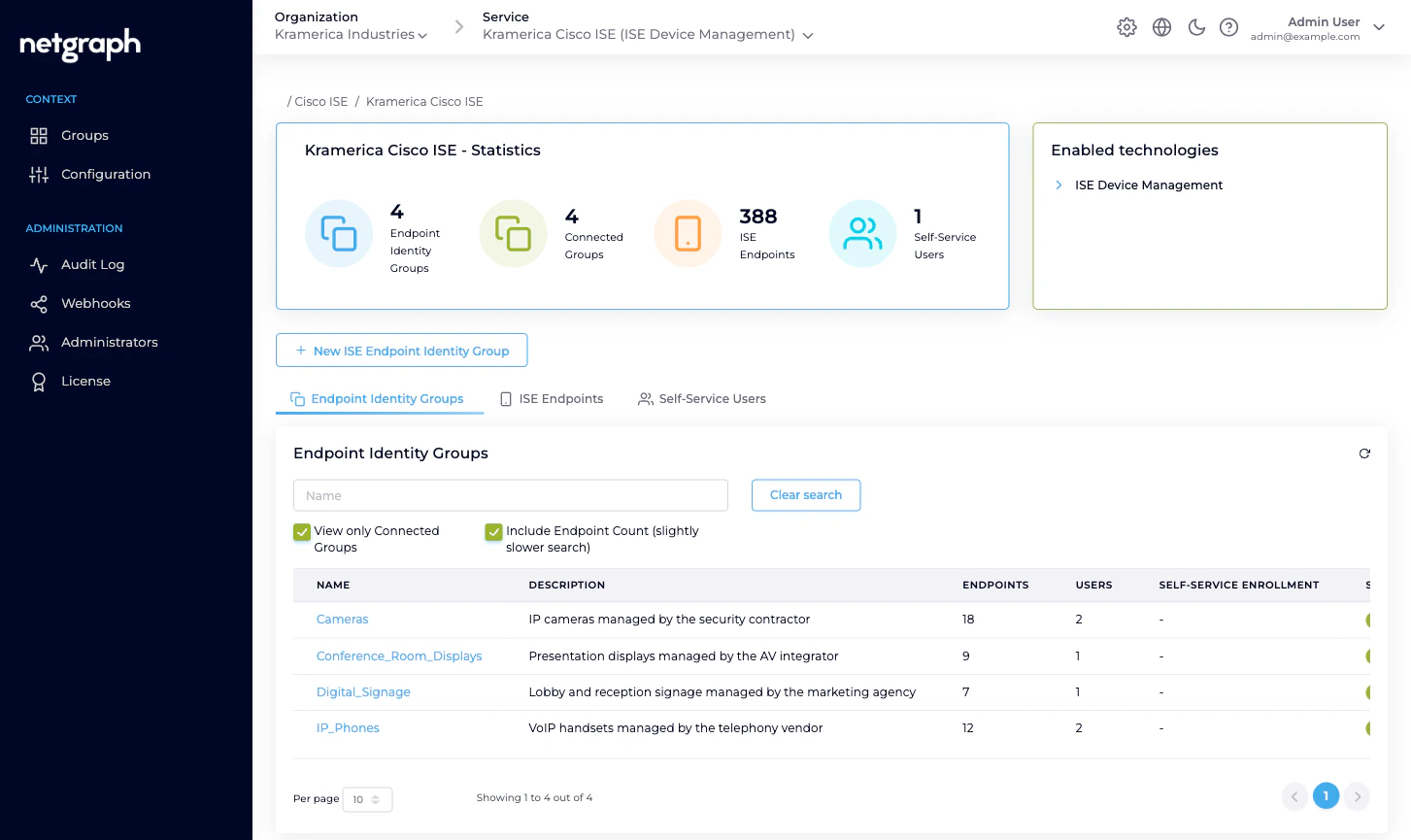
Cisco ISE has its own, authoritative list of Endpoint Identity Groups. Those groups exist before you ever install Endpoint Manager and keep existing if you disconnect it. Endpoint Manager reflects those groups and lets you opt each one in to managed administration:- Connected. The group is under managed administration. You can define Self-Service Users on it, apply Managed Attribute values at the group level, and hand out day-to-day endpoint CRUD to delegated administrators. Everything they do is synchronised back into ISE.
- Not Connected. The group still exists in ISE and still shows in the platform’s list, but it isn’t under managed administration. You can read its endpoints from the admin, but you can’t invite Self-Service Users or set attribute values on it until it’s connected.
What a managed group owns
Each managed Endpoint Identity Group carries:- A name and description, matching exactly what Cisco ISE shows. Rename it in ISE and Endpoint Manager picks up the new name on the next sync; rename it via Endpoint Manager’s Group Settings and the change is pushed back to ISE.
- A link to its ISE group ID. An internal ISE-side UUID that the platform uses to read and write endpoints in the correct group. You rarely need to think about it, but it’s the reason the two sides stay in lockstep.
- Its endpoints. Every endpoint Cisco ISE reports as a member of the group, with live session data where available. You can add, edit, batch-add, move and delete endpoints from this view; each change is pushed into ISE and audited.
- Its Custom Attribute values. The values for each Managed
Attribute the parent Context has defined. If the Context
defines
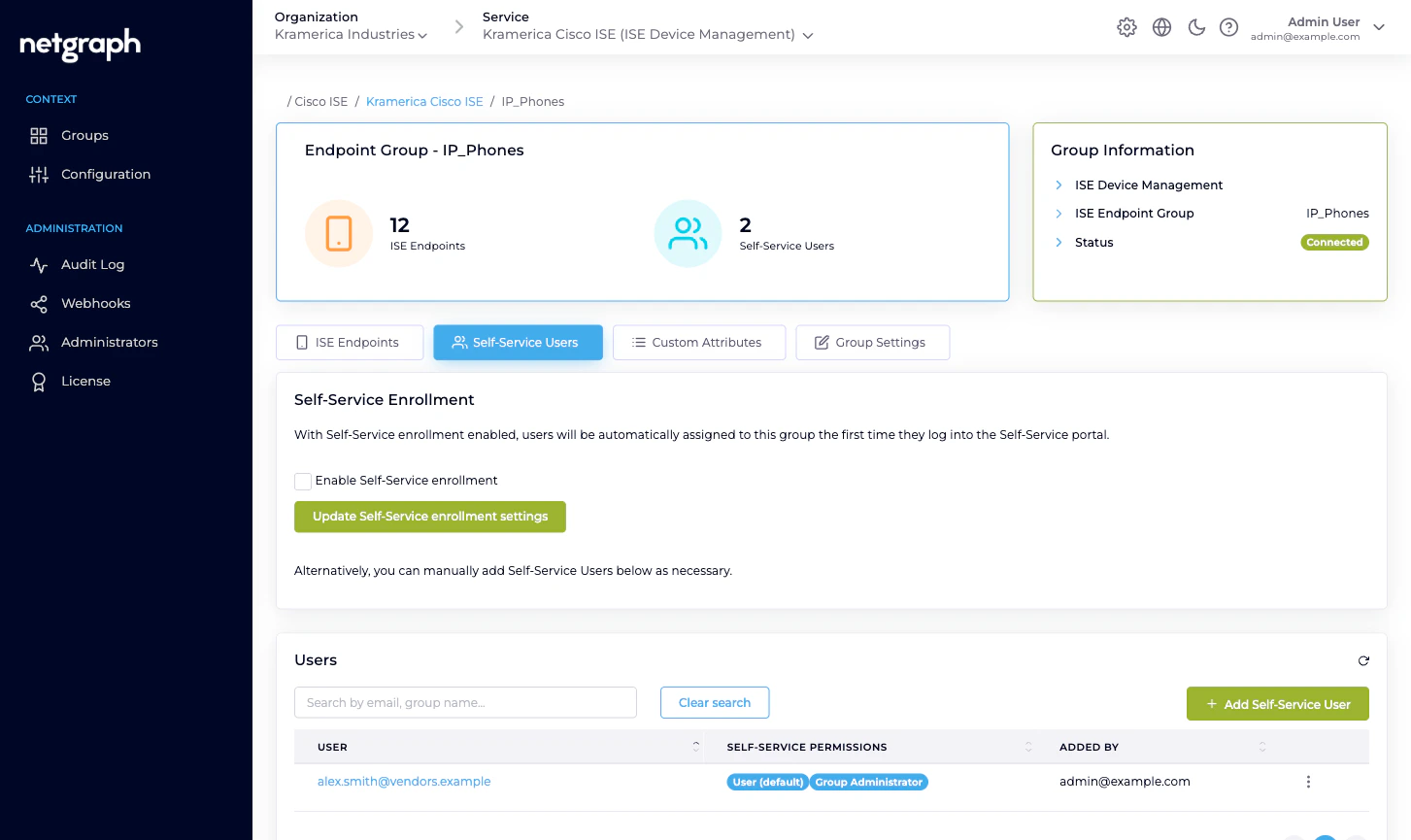
vendor-owneras a String, the group holds a value (for example Acme Telephony) that the platform applies to every endpoint in the group on the ISE side. - Its Self-Service Users. Zero or more delegated administrators with either User (default) or Group Administrator permission. A delegated administrator on one group can’t see or manage any other group, even other managed ones in the same Context.
The two Self-Service permission levels
Every Self-Service User on a managed group has User (default). It’s always on and can’t be removed. Any member can additionally hold Group Administrator.| Permission | What they can do |
|---|---|
| User (default) | View, add, update and remove endpoints inside this Endpoint Identity Group. |
| Group Administrator | All of the above, plus view, add, update and remove other Self-Service Users on the same group. |
How delegated administrators use the group day-to-day
From the Self-Service portal a Group Administrator can:- Add a single endpoint — MAC, description, optional device type. Pushed into Cisco ISE immediately.
- Batch import endpoints — CSV upload in a four-step wizard. Existing MACs are updated and moved into the group; new MACs are created in ISE.
- See live session data — the NAS, port, VLAN, session duration and data usage that Cisco ISE reports for endpoints currently online.
- Modify an endpoint — change description, device type, Managed Attribute values specific to this endpoint.
- Revoke an endpoint — remove it from the group (and, if it doesn’t exist in any other group, from ISE).
- Invite or remove Self-Service Users — only for Group Administrators. For spreading responsibility across a team.
What’s NOT an Endpoint Identity Group
- Not a RADIUS group. Your Cisco ISE still applies the authorization rules it always has — VLAN, ACL, SGT, policy sets — based on whatever criteria you configured. Endpoint Manager’s groups are about membership administration, not authorization policy.
- Not an iPSK group in the EntryPoint sense. If your iPSK is served by Netgraph RADIUSaaS and not by Cisco ISE, you want EntryPoint’s iPSK for Cisco Networks. If your iPSK is served by Cisco ISE and you want to delegate the MAC-by-MAC administration, Endpoint Manager is the right tool — and the group shape is the same managed-reflection idea.
- Not a Wireless Personal Network. If you’re running one SSID with a per-unit PSK on Cisco Meraki, that’s EasyPSK for Cisco Networks; its per-unit model is different from ISE’s per-MAC endpoint model.
- Not an isolation boundary. Putting endpoints in different groups doesn’t, by itself, stop them talking to each other. Network segmentation, VLAN assignment and ACLs are still a Cisco ISE and Cisco network job.
Related
Delegated administration
Scaling from one group to many.
Managing Endpoint Identity Groups
Connect, create, rename, disconnect.
Managing endpoints
CRUD, Move, Change of Authorization.
Managed Attributes
Context-level definition, group-level values.