

Where a Context fits
An Organization can hold many Contexts across the Services — Sign In, EntryPoint, EasyPSK, Endpoint Manager — mixing and matching as needed.What a Context holds
Each Context carries:- The connection to Cisco ISE — Base URL, API user, and an internal display name (“Device Management” by default). The password is stored secret-encrypted and never shown back.
- Managed Attributes — a list of Endpoint Custom Attribute definitions (name + type) that delegated administrators are allowed to apply at the group level. Empty is a valid state; groups then only manage MAC and Description.
- The Endpoint Identity Groups you have connected — zero or more. Each one is a 1:1 reflection of an ISE group.
- Per-Context audits — every configuration change (API credential updates, Managed Attribute definitions, connect and disconnect of groups, endpoint CRUD, Change of Authorization events) is audited under the Context’s Audit Log.
- Per-Context webhooks — subscribed to the single event type
that Endpoint Manager emits (
ise.configuration.audit). - Per-Context Administrators — the Organization admins who can configure and operate this Context. This is separate from the Self-Service Users on individual groups; those are the delegated administrators on a per-group basis.
How the Context talks to Cisco ISE
The platform reads from Cisco ISE over three API families that each cover part of the picture:- Endpoint Groups API. Enumerates and creates Endpoint Identity Groups. This is the listing you browse on the Groups tab.
- Endpoint API. Reads, creates, updates and deletes individual endpoint records in bulk or one at a time, including the Endpoint Custom Attribute values.
- Monitoring API (MnT). Looks up each endpoint’s live session data (NAS, port, VLAN, session duration, data usage) and triggers a Change of Authorization when asked.
Authentication path — we don’t replace ISE
Endpoint Manager is not an authentication backend. Your Cisco ISE continues to authorise every endpoint on the wire exactly as before — 802.1X, MAB, iPSK, profiling, authorization policies — using the same identity sources, certificate authorities and endpoint identity groups it always has. The only thing that changes is who maintains the per-endpoint records inside those groups. The practical consequence: if an endpoint is rejected by ISE, the fix is still on the ISE side. Endpoint Manager’s job is to make sure the endpoint record in ISE is complete and current.Context tabs
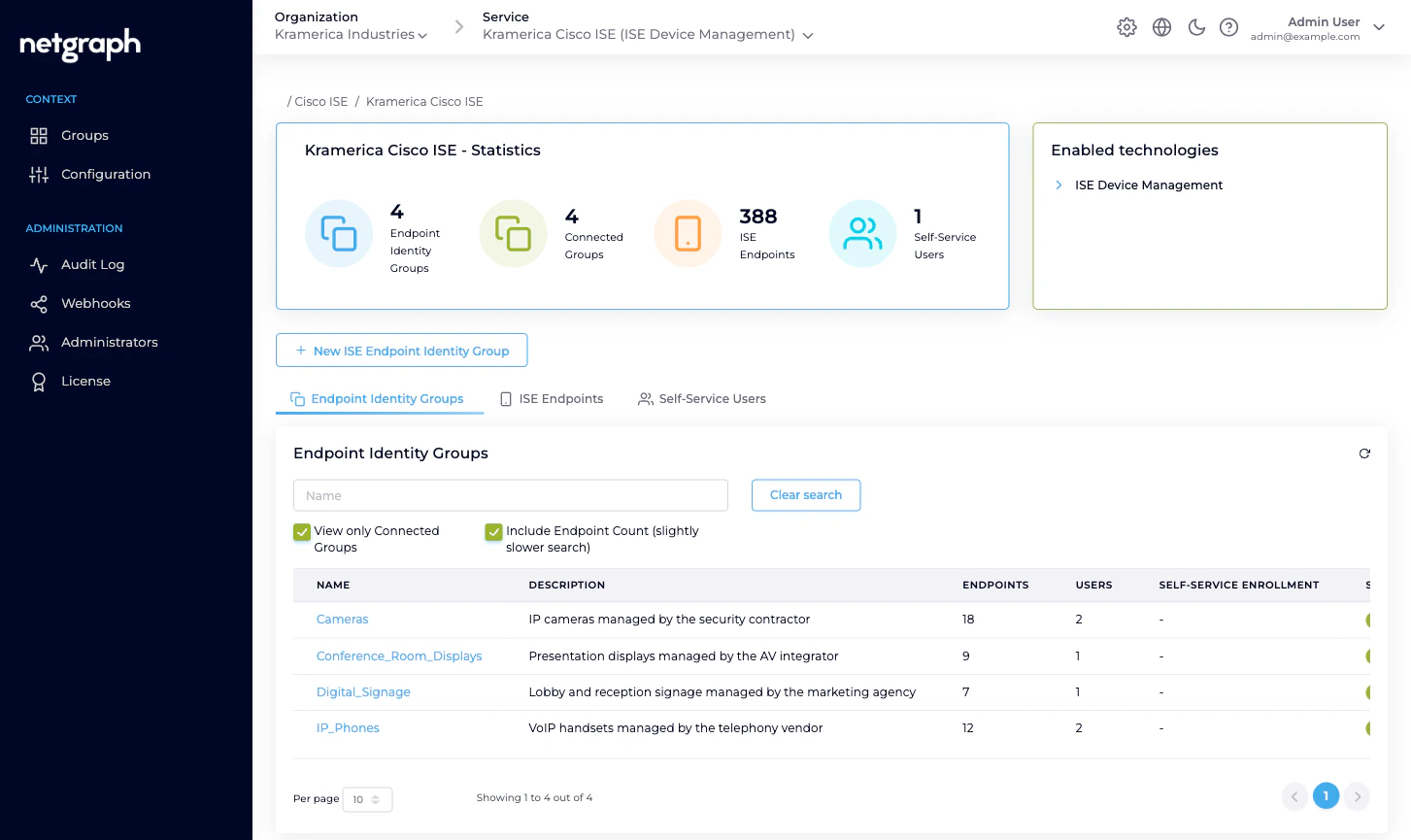
A Context’s workspace has three top-level areas in the admin:- Groups — the Context overview. Statistics, the list of Endpoint Identity Groups, a cross-group view of ISE Endpoints across the Context, and a cross-group view of Self-Service Users.
- Configuration — three sub-tabs: API Configuration (credentials, API status), Managed Attributes (attribute definitions), Basic Configuration (Context name, display name, delete).
- Administration — the Organization-wide blocks applied to this Context: Audit Log, Webhooks, Administrators, License. These follow the same shape as every other Service.
Related
Endpoint Identity Groups
The unit of delegation inside a Context.
Cisco ISE connection
API Configuration in depth.
Managed Attributes
Context-level definition, group-level values.
Platform hierarchy
How Organizations, Services and Contexts fit together.