

The shared-PSK model
Every device in a Group authenticates with the same Pre-Shared Key. The PSK is:- Per-Group. Robot Cleaners uses one PSK; Digital Signage uses a different one; Smart Locks a third. Four Groups → four keys.
- Scoped to the Group’s audience. Every device added to the Group uses the Group’s current PSK. Rotating it means every device in the Group needs the new key.
- Visible to users with the right role. End-users with the User (default) role in the Self-Service portal see the PSK (they need it to configure devices). The Pre-Shared Key (PSK) Administrator role additionally rotates it.
- Returned on the RADIUS Access-Accept. The AP fetches the PSK via RADIUS on every device association and uses it to complete the WPA2 4-way handshake.
Creating an iPSK Group
Name the Group by device class
Robot Cleaners, Digital Signage, Smart Locks, Lab
Sensors. The name shows up in breadcrumbs, the Groups list on
the Context, and the Self-Service portal for everyone invited
to the Group.
Add a Description
A one-liner that names the owner and scope — Facility-services-
owned cleaning-robot fleet; 12 units across floors 3–6. Helps
future admins distinguish Groups quickly.
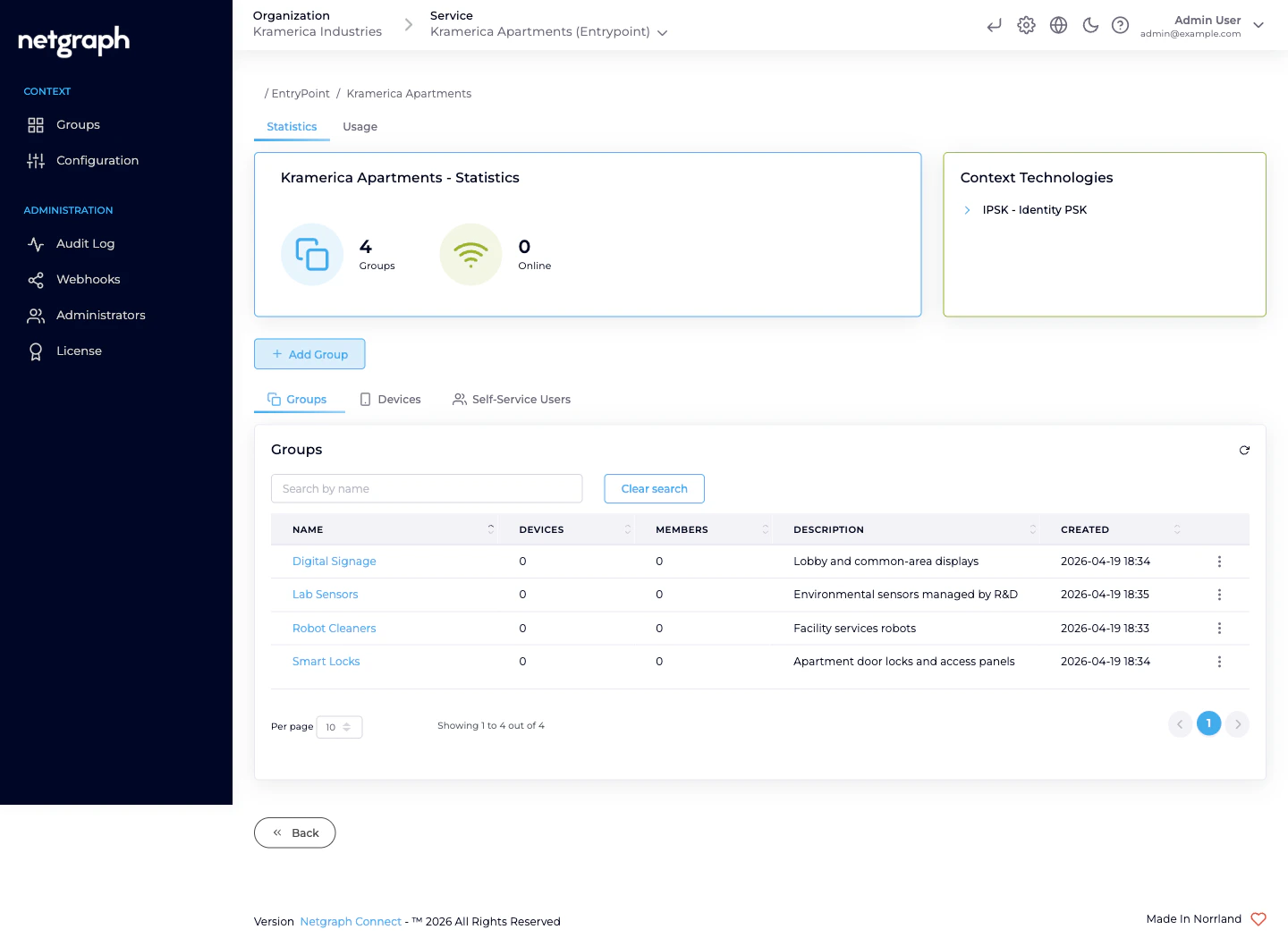
What’s on the Group detail page
An iPSK Group detail carries:- Statistics card — Devices / Members / Online counters.
- Usage — time-series chart of Registered vs Online devices specifically for this Group.
- Devices tab — the MAC addresses in the Group, each with live session data when the device is online (NAS, VLAN, session duration, data usage where your Cisco controller reports it).
- Users (Self-Service Users) tab — the people invited to this Group and their roles.
- Group Settings tab — rename, attach Attribute Profile(s), rotate the PSK from the admin side, delete.
Attaching an Attribute Profile
Per-Group VLAN / SGT assignment is the whole point of “one Group per device class”. Robot Cleaners lands on the cleaning-floor VLAN; Digital Signage on the signage VLAN; Smart Locks on the access-control VLAN.Create the Profile if it doesn't exist
On the Context, Configuration → Attribute Profiles → Add
attribute profile. Name it for the audience (VLAN 410 —
Cleaning), add the three tunnel attributes that assign the
VLAN. See
Attribute Profiles.
Inviting the first delegated admin
Self-Service is what turns “one Group per device class” from a naming convention into real delegation. Each Group gets at least one Self-Service User with elevated roles.Pick roles
A full delegate typically gets User (default) (always on),
Self-Service User Administrator (invite their own
colleagues), and Pre-Shared Key (PSK) Administrator (rotate
the PSK). For the facility-services lead on Robot Cleaners,
all three make sense.
Rotating the shared PSK
The PSK is rotated when:- It leaks (screenshotted, pasted into chat, shared widely).
- A delegate leaves and their knowledge of the key needs to stop working on the next re-association.
- On a hygiene schedule — some Organizations rotate per quarter.
- Delegated (usual). The Group’s Pre-Shared Key (PSK) Administrator opens the Self-Service portal and hits Manage Key → Regenerate. You don’t need to be in the loop.
- Admin-side. On the Group’s Group Settings tab, use the Manage PSK card. Useful if the delegate has lost access and you need to cover for them urgently.
Retiring a Group
When the device class is decommissioned and the fleet is leaving the network:Let the delegate clean up first (optional)
The PSK Administrator removes their devices from the Self-
Service portal’s Devices card. The Group’s Removed by
audit trail reflects who retired what.
Delete the Group
On the Group’s Group Settings tab, confirm deletion. The
PSK and every remaining MAC entry are removed; Self-Service
Users lose portal access to the Group immediately.
Operational tips
- One Group per device class, not per device. Putting every printer in its own Group defeats the entire PSK-reuse model.
- Name Groups by device class, not by owner. Robot Cleaners reads better than Acme Corp Cleaning — owners change more often than device classes.
- Use the Description to name the owner. Facility services (primary: X); marketing agency (secondary: Y) — who’s responsible lives in the Description.
- Two PSK Administrators per Group is a resilient default — if the primary is unreachable at PSK-rotation time, the secondary can still cover.
- Set Default attribute profiles on the Context. Auto-fills the Profile selector on new Groups; saves you a step per Group creation.
Related
Managing devices — bulk and single
Adding, updating, and removing MACs — admin and Self-Service sides.
Self-Service portal & roles
The delegated-admin surface and the three roles.
Attribute Profiles
Reusable RADIUS-response bundles attached per Group.
RADIUS clients
Hostname, ports, shared secret, CIDR allow-list.