

Where it fits
What lives inside a Context
- The Meraki integration — API key, Meraki organization, the network or template the Context targets, the SSID, and the Group Policy strategy.
- Wireless Personal Networks — one per apartment / unit / bubble. Each WPN holds one Meraki Identity PSK (per associated network).
- Self-Service Users — members of each WPN: residents who share the key. Every Self-Service User is a User (default); one of them per WPN is typically promoted to Group Administrator.
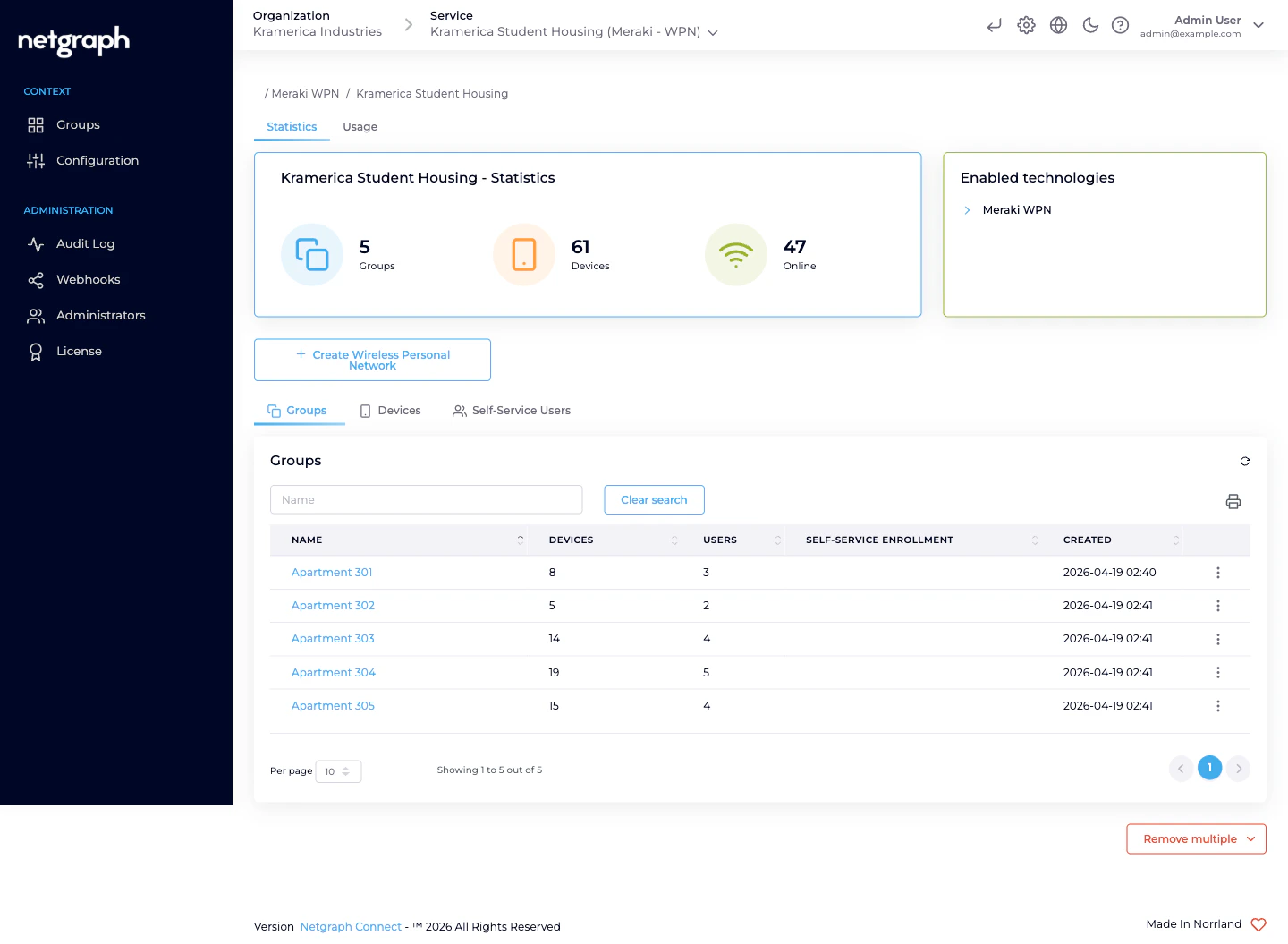
- Connected devices — the clients actually joined to each WPN’s PSK, read from the Meraki dashboard in near-real-time.
- Configuration — Context name, description, PSK defaults, and the Meraki integration summary.
- Administration — the usual Audit Log, Webhooks, Administrators, and License entries shared with every Service.
Meraki-side concepts the Context reflects
The Context mirrors Meraki’s own object hierarchy:- A Meraki organization is the top-level tenant of your Meraki dashboard. A Context connects to exactly one.
- A Meraki network is a set of devices (for EasyPSK: MR-series access points) sharing configuration.
- A configuration template can be shared across many Meraki networks. For multi-building deployments, a Meraki network template is often simpler than maintaining per-network config.
- An SSID is broadcast by the APs in a Meraki network (or the networks bound to a template). One Context governs exactly one SSID name.
- A Meraki group policy is the bandwidth / VLAN / firewall treatment Meraki applies to a client. EasyPSK creates and owns these on the Meraki side, per Wireless Personal Network.
Authentication path — no RADIUS
EasyPSK talks to the Meraki Dashboard API directly. It writes Meraki-native Identity PSKs. When a resident’s device presents its key, the Meraki AP validates it locally against the identities the platform has programmed — there is no RADIUS server in the path and no round-trip outside the Meraki dashboard at authentication time. This is fundamentally different from a platform like EntryPoint which is a RADIUS service.Context-level tabs
- Statistics — current Groups, Devices, Online device counters, plus the Enabled technologies card naming Meraki WPN.
- Usage — a time-series chart of Registered vs Online devices for the Context.
- Groups (under the landing section) — the list of Wireless Personal Networks.
- Devices — every connected device across every WPN in the Context.
- Self-Service Users — every resident across every WPN.
Administration
Shared with every other Service:- Audit Log — who changed what, when. Secrets (API key, Pre-Shared Keys) are redacted in the log by design.
- Webhooks — stream configuration-audit events out to your SIEM or business systems. See Webhooks.
- Administrators — who can log into this Context on the admin side. See Organization Administrators.
- License — the license assigned to the Context.
Related
Wireless Personal Networks
The per-unit bubble concept.
Meraki connection
Every Basic Configuration field, documented.
Self-Service portal
The end-user view.
Platform hierarchy
How Contexts fit inside Organizations.