

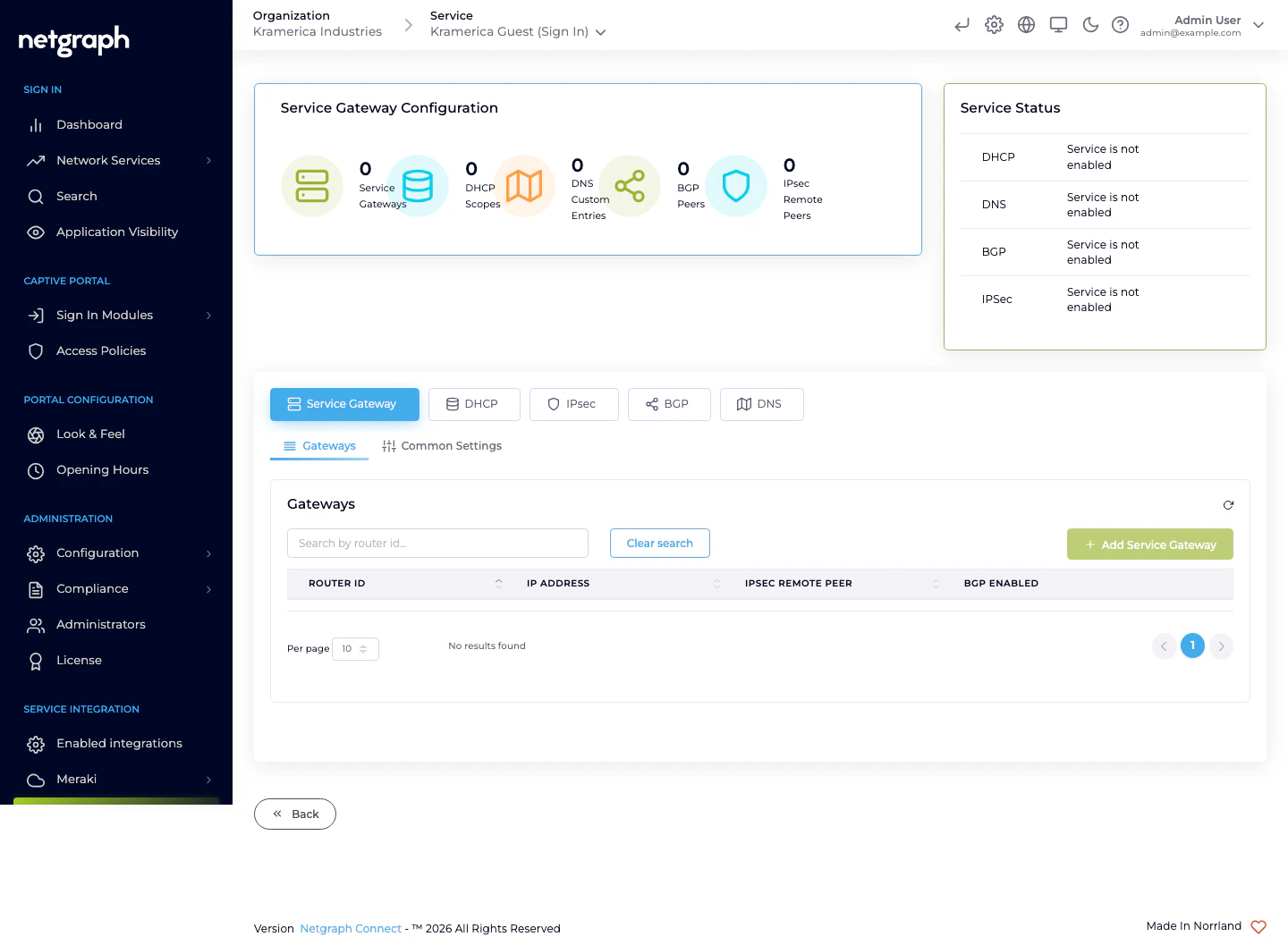
- Service Gateway — list of registered routers, plus common settings.
- DHCP — scopes served to guests.
- IPsec — tunnels between the routers and Netgraph.
- BGP — dynamic routing peers.
- DNS — custom DNS entries the Service Gateway serves.
What the integration provides
- Built-in DHCP — assign IPs to guests without a separate DHCP server. Supports multiple scopes for multi-VLAN deployments.
- Built-in DNS — resolve names for guests, with optional custom entries.
- IPsec tunnel to Netgraph — for control-plane traffic between the router and the platform.
- Optional BGP peering — for venues with dynamic routing.
- Deep-packet-inspection data — the source of Application Visibility.
When to choose Service Gateway
- The venue runs Cisco routing (Catalyst, IOS-XE, SD-WAN / Viptela).
- You want Application Visibility.
- You want venue-local DHCP/DNS instead of depending on the wider network.
- You need multiple Service Gateways per Context.
Status card
The Service Gateway page shows a Service Status card for each of DHCP, DNS, BGP, and IPsec, indicating whether the service is currently enabled. A green check means the Service Gateway is actively delivering the service; a greyed “Service is not enabled” means the corresponding tab has no configuration.Site matching
Sign In identifies a guest’s site by the DHCP scope that allocated their address on Service Gateway deployments. Each DHCP scope carries a Connected to Site link, and the set of scopes bound to a Site defines which leases belong to that Site. Configure sites and their member scopes under Site-based redirects.Multiple Service Gateways
A single Sign-In Context can have multiple Service Gateways — useful for high-availability pairs, multi-site deployments, or geo-distributed venues that share one Context. See Gateways for how to register additional routers.What’s in each tab
Gateways
Registered Service Gateway routers — add, remove, inspect.
DHCP
Scopes, batch upload, DHCP Option 114.
IPsec
Tunnel configuration between routers and Netgraph.
BGP
Dynamic routing peers.
DNS
Custom DNS entries served by the Service Gateway.