

The form fields
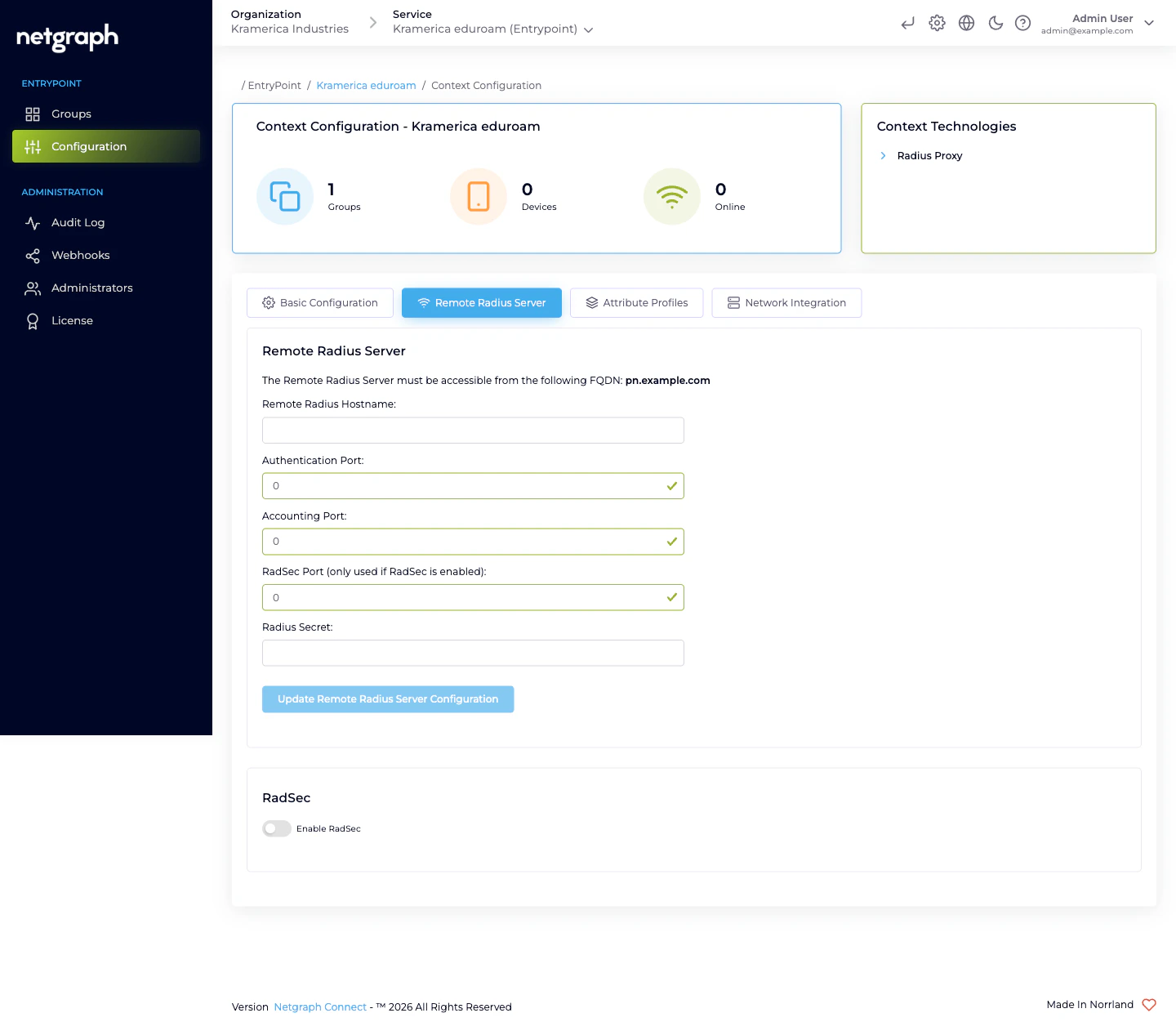
Open the Context’s Configuration → Remote Radius Server tab.- Remote Radius Hostname — the hostname of the upstream server
(typically a
radius.<your-federation>.<tld>FQDN supplied by the federation operator). - Authentication Port — the UDP port the upstream listens on for authentication. Default is 1812 for plain RADIUS.
- Accounting Port — UDP port for accounting records. Default is 1813.
- RadSec Port — TCP port for RADIUS-over-TLS. Used only when RadSec is enabled. Default is 2083.
- Radius Secret — the shared secret between your EntryPoint deployment and the upstream RADIUS server. The upstream operator provides this.
The egress FQDN — what the upstream has to allow
The Remote Radius Server card displays the FQDN from which your EntryPoint deployment sends outbound RADIUS traffic. The upstream operator has to allow connections from that FQDN — typically by adding it to their own side’s allow-list in parallel with you plugging in their hostname and secret.The Remote Radius Server must be accessible from the following FQDN: <your-deployment-specific FQDN>Share the FQDN with the federation operator (or the upstream RADIUS admin, for non-eduroam deployments) and confirm they’ve added it before testing. Without the allow-list update on their side, even a correctly configured Remote Radius Server returns timeouts.
eduroam-specific notes
For universities joining eduroam, the Remote Radius Server is the national federation tier-1 server — for example, in Sweden, SUNET’s eduroam RADIUS; in Germany, DFN’s; in the UK, Jisc’s. The federation operator publishes:- The hostname(s) to target.
- The shared secret (or the RadSec CA, when RadSec is required — which is the modern default for eduroam).
- Their expected FQDN format for your source.
Choosing UDP or RadSec
- UDP (ports 1812/1813) — classic RADIUS, no transport-level encryption. Fine for non-federated upstreams in trusted networks.
- RadSec (port 2083) — RADIUS over TLS. Encrypts the forwarding traffic and allows mutual authentication via certificates. Required by eduroam today; usually the right choice for any Internet-traversing upstream.
Updating the configuration
Reconfiguring is a matter of editing the fields and clicking Update Remote Radius Server Configuration again. Rotations happen when:- The upstream operator rotates their shared secret. Coordinate a change window and update both sides in parallel; while one side is on the old secret and the other on the new, every authentication fails.
- The upstream endpoint changes hostname. Often during
federation modernisation (e.g. eduroam’s national operator
moving from
radius1.example.edutoradius.example.edu). - RadSec is turned on. After you upload the federation’s CA and flip the RadSec toggle, update the port so the Context targets the RadSec port rather than the UDP ones.
Day-to-day operations
Radius Proxy Contexts are steady once configured — there’s no per-user membership, no device onboarding, no PSK rotation. The operational touchpoints are:- Verifying reachability after any upstream maintenance. If the federation cycles its tier-1 server, check that authentications resume after the maintenance window ends.
- Monitoring accounting. The Context’s Devices / Online counters track the number of visiting devices currently authenticated through the proxy. A sudden drop to zero often means the upstream has changed or the RadSec CA has rotated.
- Rotating your own secret on the upstream side when federation policy requires it (annually, or after incidents). The audit log documents the change; the upstream’s operator should also see a matching entry on their side.
Attribute Profile on the Default Device Group
Even though the upstream decides who gets in, you can still set per-Context RADIUS attributes — typically VLAN or SGT — on the response going back to your WLAN. That’s what the Default Device Group’s Attribute Profile is for; see Default Device Group.Related
Radius Proxy overview
The variant at a glance.
RadSec (RADIUS over TLS)
Required for eduroam; the modern transport for federated roaming.
Default Device Group
Where the Attribute Profile attaches.
RADIUS clients
Your WLAN side of the Context.